
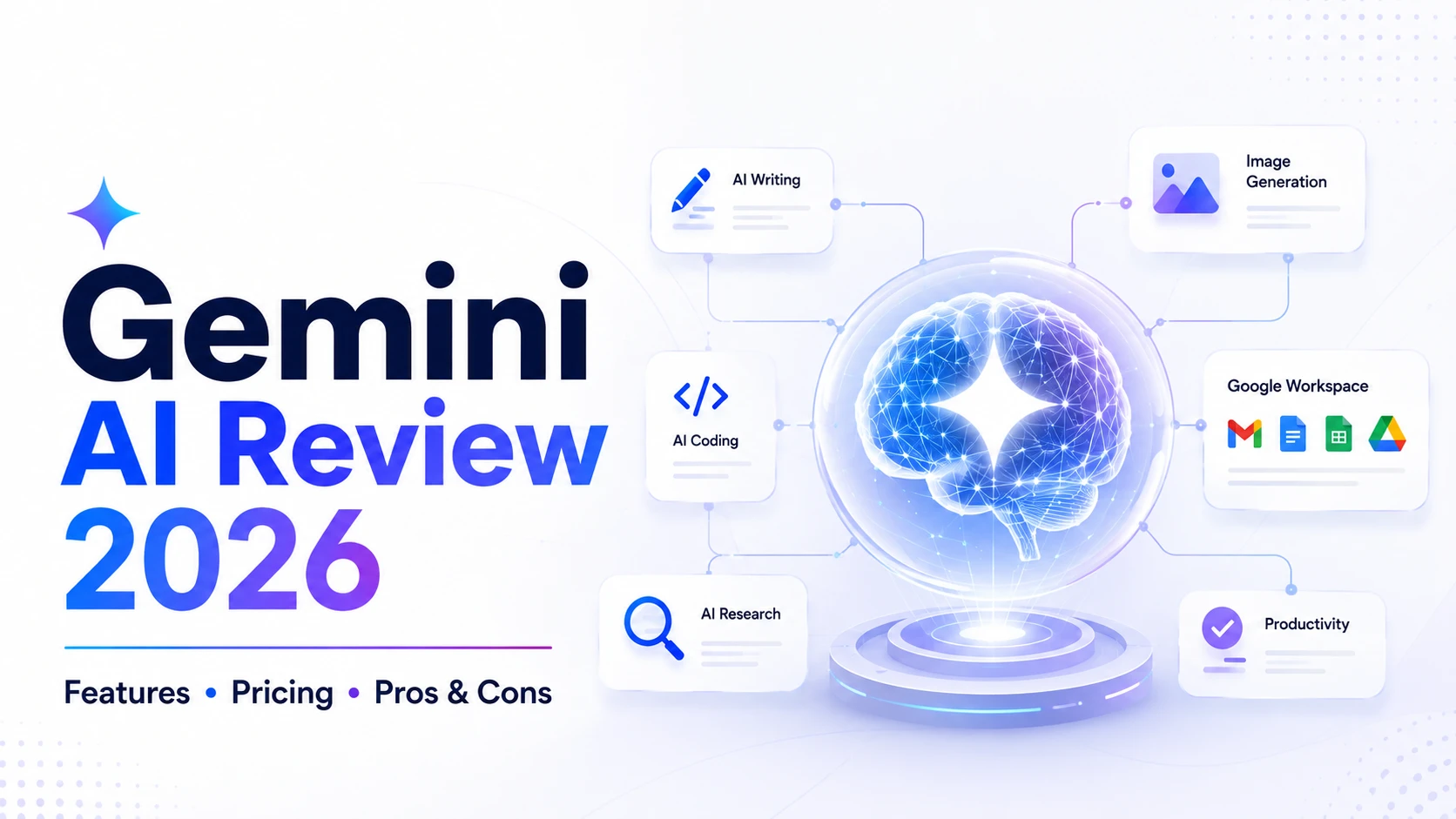
Google Gemini is Google’s AI model family and assistant ecosystem for writing, research, coding, multimodal tasks, creative work, learning, and productivity. In 2026, the ecosystem includes newer Gemini models such as Gemini 3.6 Flash and Gemini 3.5 variants, alongside Gemini features integrated across Google products.
In 2026, Gemini has developed far beyond its original chatbot experience. Google’s current Gemini ecosystem includes advanced models, research capabilities, creative AI tools, integrations with Google products, and increasingly agentic features designed to help users complete multi-step tasks.
Google introduced Gemini as a natively multimodal model capable of working across text, images, audio, video, and code. The Gemini ecosystem has since expanded considerably, with Google introducing newer model generations and integrating Gemini throughout products such as Search and Google Workspace.
So, is Gemini worth using in 2026?
For users who already rely heavily on Google Search, Gmail, Docs, Drive, Android, or other Google services, Gemini can be an especially compelling AI assistant. It is also worth considering for coding, research, content creation, multimodal tasks, and AI-powered productivity.
Gemini AI at a Glance
| Feature | Gemini AI |
|---|---|
| Developer | |
| AI Organization | Google DeepMind |
| Category | AI Assistant / Generative AI |
| Text Generation | Yes |
| Image Understanding | Yes |
| Image Generation | Available through supported Gemini features/models |
| Video Capabilities | Available through supported Google AI tools/models |
| Coding | Yes |
| Research | Yes |
| Google Workspace Integration | Yes |
| Free Access | Available |
| Paid Plans | Google AI plans available |
| Mobile Access | Yes |
| Web Access | Yes |
| Best For | Google users, research, multimodal work, productivity, coding and creative tasks |
Who Is Gemini Best For?
| User | Recommendation | Why |
|---|---|---|
| Students | Excellent | Learning, explanations, research and study support |
| Bloggers | Excellent | Outlines, drafting, editing and research workflows |
| SEO professionals | Very good | Content planning, research and optimization assistance |
| Developers | Excellent | Coding, debugging, reasoning and development workflows |
| Digital marketers | Excellent | Campaign ideas, content and research |
| Google Workspace users | Excellent | Gemini features across Gmail, Docs and other Google products |
| Casual AI users | Very good | General questions, writing, planning and everyday assistance |
Gemini AI: Our Review Methodology
SoftwareRider evaluates AI tools against practical publishing and productivity workflows rather than judging them only from feature lists. For Gemini, the review framework covers writing quality, coding assistance, research, multimodal capabilities, Google ecosystem integration, usability, plan value, and suitability for digital marketing and SEO workflows.
For the strongest first-hand version of this review, add dated screenshots and your own test results for the prompts you actually run. Do not claim a hands-on test unless SoftwareRider has performed it.
Quick Answer: What Is Gemini Best For?
Gemini is best for users who want a general-purpose AI assistant with strong multimodal capabilities and deep integration with Google’s ecosystem. It is particularly useful for research, writing, coding, document work, Google Workspace productivity, and creative AI workflows. Google’s current AI plans also provide different levels of access to advanced Gemini models, Deep Research, file uploads, image/video generation, and other features.
What Is Gemini AI?
Gemini is Google’s family of generative AI models and applications.
It was introduced as a multimodal AI system designed to understand and combine different forms of information, including text, code, images, audio, and video. Google’s original Gemini announcement described the system as being built from the ground up for multimodal understanding rather than simply combining separate models afterward.
Today, “Gemini” can refer to both Google’s underlying AI model family and the consumer-facing Gemini app.
The Gemini app can help users:
- Answer questions
- Write and edit content
- Summarize information
- Research topics
- Analyze files
- Generate creative content
- Write and explain code
- Create images
- Work with Google services
- Plan projects
- Learn new subjects
Google has also moved Gemini toward more agentic workflows. In May 2026, Google introduced Gemini 3.5 as a model family combining advanced intelligence with action.
Who Developed Gemini?
Gemini is developed by Google DeepMind, Google’s AI research organization.
It is part of Google’s broader AI ecosystem and is being incorporated into products including Search, Workspace, Android, and other Google services.
Google’s original Gemini launch described the project as a collaboration across Google teams, including Google Research.
Why Is Gemini AI Popular?
Gemini has a major advantage that many competing AI assistants cannot easily replicate: its connection to Google’s ecosystem.
If you already use services such as:
- Gmail
- Google Docs
- Google Drive
- Google Sheets
- Google Slides
- Google Search
- Android
- Google Photos
Gemini can become more useful because AI capabilities are increasingly integrated into these products.
For example, Google announced new Gemini capabilities for Docs, Sheets, Slides, and Drive in 2026, including assistance with documents, spreadsheets, presentations, and information stored in files.
Key Gemini AI Features
1. Multimodal AI
One of Gemini’s defining characteristics is multimodal capability.
Gemini can work with different forms of information, including:
- Text
- Images
- Audio
- Video
- Code
Google designed Gemini from the beginning around multimodal understanding.
This makes it useful for tasks such as explaining an image, analyzing a document, understanding a video, or combining information from different sources.
2. AI Writing Assistant
Gemini can help create and improve written content.
You can use it for:
- Blog outlines
- Articles
- Emails
- Social media posts
- Product descriptions
- Marketing copy
- Business documents
- Summaries
- Rewriting
- Brainstorming
Example Prompt
Write a beginner-friendly introduction to digital marketing for a technology blog. Use short paragraphs, practical examples, and a professional but conversational tone.
For SoftwareRider, Gemini can be useful for generating first drafts while human editing adds originality, expertise, examples, and brand voice.
3. Coding Assistance
Gemini can assist developers with programming and software development.
Possible uses include:
- Generating code
- Explaining code
- Debugging
- Refactoring
- Writing functions
- Creating SQL queries
- Understanding APIs
- Learning programming concepts
- Building prototypes
Google has positioned Gemini models for coding and agentic development workflows, with newer generations focusing on more capable reasoning and action.
Example Prompt
Explain this PHP error, identify the likely cause, and provide a corrected version of the code with comments.
4. Deep Research
Research is another important Gemini capability.
Google has introduced Deep Research, designed to investigate complex topics and synthesize information into more comprehensive reports.
Google’s 2025 Gemini updates described Deep Research as a way to synthesize complex research from across the web, while later Gemini developments continued expanding research and agentic capabilities.
This can be useful for:
- Market research
- Competitor research
- Technology research
- Academic exploration
- Product research
- Business planning
Important information should still be checked against primary and authoritative sources.
5. Gemini in Google Workspace
One of Gemini’s strongest differentiators is its integration with Google Workspace.
Depending on the plan, region, and feature availability, Gemini can assist with:
- Gmail
- Google Docs
- Google Sheets
- Google Slides
- Google Drive
Google’s March 2026 Workspace update described Gemini capabilities for drafting documents, creating presentations, working with spreadsheets, and finding information across files and emails.
For people who spend much of their working day inside Google Workspace, this integration can be a significant productivity advantage.
6. Gemini Live
Gemini also supports more natural conversational interactions.
Google has developed Gemini Live to support conversational interactions involving voice and, on supported devices, visual information such as camera or screen sharing. Google described examples including discussing objects seen through a camera and getting assistance based on what is visible.
This makes Gemini useful beyond traditional text chat.
7. Image Generation
Gemini’s ecosystem includes Google’s generative image technology.
Users can use supported Gemini features to create and edit images from natural-language instructions.
Possible applications include:
- Blog illustrations
- Social media graphics
- Concept art
- Marketing visuals
- Product concepts
- Educational graphics
Google has continued expanding image-generation and image-personalization capabilities within Gemini in 2026.
8. Video and Creative AI
Google’s AI ecosystem also includes video-generation technology such as Veo.
Gemini-related creative workflows can therefore extend beyond text into image, video, and other forms of media creation. Google previously highlighted Veo integration with Gemini for generating short videos from prompts.
9. Personalized AI
Google is increasingly positioning Gemini as a personalized assistant.
Features announced across the Gemini ecosystem include connections with Google services and personalization capabilities that can help tailor responses to the user’s context, subject to availability, settings, and permissions.
Google has also introduced features such as Gems, allowing users to create specialized Gemini experiences for recurring tasks.
Gemini AI Models Explained in 2026
Google’s Gemini model family has evolved considerably since Gemini’s original launch.
The initial Gemini generation included different model sizes designed for different environments, including Ultra, Pro, and Nano.
Google subsequently introduced newer generations, including Gemini 3, Gemini 3.1 Pro, and Gemini 3.5-era capabilities. Gemini’s app and subscription offerings can also expose different models and features depending on the user’s plan, country and rollout status.
Google announced Gemini 3 in November 2025 and described it as its most intelligent model at that time, with improvements in reasoning, multimodal understanding, coding, and agentic capabilities.
Google’s 2026 Gemini updates include Gemini 3.1 Pro, which Google describes as a model for complex problem-solving, along with Gemini 3.5 Flash capabilities in the Gemini app. Google has also expanded creative and multimodal workflows through features such as Gemini Omni for video creation and editing. Model names and availability can change as Google rolls out new versions.
Because Google frequently updates model availability and naming, users should check the current Gemini documentation before relying on a specific model name for a production workflow.
Gemini AI Pricing in 2026
Gemini’s consumer pricing is connected to Google’s broader Google AI plans.
Google currently lists Google AI Plus, Google AI Pro, and Google AI Ultra plans. Features, storage, usage limits, and availability vary by country and plan. Google’s India plan page currently lists 400 GB with Plus, 5 TB with Pro, and 20 TB starting storage with Ultra.
For readers in India, Google provides India-specific Google AI plan information through Google One.
Because pricing and feature limits can change, SoftwareRider should avoid publishing a static price without a last-updated date.
Recommended editorial approach
Instead of writing:
Gemini costs ₹X every month.
Use:
Gemini offers free access alongside paid Google AI plans. Pricing, usage limits, model access, storage, and included features vary by plan and country. Check Google’s current plan page for the latest pricing.
This keeps your article more evergreen and reduces the risk of outdated pricing information.
Gemini Free vs Paid
| Feature | Free Access | Paid Google AI Plans |
|---|---|---|
| Gemini conversations | Yes | Yes |
| Writing assistance | Yes | Yes |
| Coding assistance | Yes | Yes |
| Google ecosystem integration | Available | Expanded |
| Advanced model access | Limited/varies | Expanded |
| Higher usage limits | Limited | Higher |
| Advanced research | Limited/varies | Expanded |
| Creative AI features | Available | Expanded |
| Cloud storage | Plan dependent | Included with qualifying plans |
Important: Google changes feature availability and usage limits over time, so this table should be reviewed whenever the article is updated.
Who Should Use Gemini AI?
Students
Gemini can help students:
- Understand difficult concepts
- Summarize study material
- Generate practice questions
- Create study plans
- Learn programming
- Brainstorm projects
Example
Explain photosynthesis to a Class 8 student using a simple analogy and five practice questions.
Gemini for Digital Marketing
Gemini can be useful for digital marketers working on:
- Content strategies
- Social media campaigns
- Email marketing
- Ad copy
- Customer personas
- Content calendars
- Competitor research
- Campaign ideas
Example Prompt
Create a 30-day digital marketing content calendar for a website that publishes AI tools, software reviews, SEO tutorials, and technology guides.
Gemini for SEO
Gemini can support an SEO workflow by helping with:
- Search-intent analysis
- Topic clustering
- Content outlines
- FAQ ideas
- Title ideas
- Meta description drafts
- Internal-link suggestions
- Content optimization
- Schema planning
However, AI-generated SEO content should not simply be published without editorial review.
For SoftwareRider, combine Gemini with:
- First-party research
- Search-intent analysis
- Original experience
- Expert commentary
- Current source verification
- Human editing
Gemini for Bloggers
Bloggers can use Gemini to accelerate the content-production process.
Workflow
Topic → Research → Outline → Draft → Fact Check → Expert Editing → SEO → Publish
Use Gemini for the repetitive parts, but add your own:
- Experience
- Screenshots
- Testing
- Opinions
- Original examples
- Comparisons
- Data
That combination creates significantly more useful content than simply publishing AI-generated text.
Gemini for Businesses
Businesses can use Gemini for:
- Business documents
- Email drafting
- Research
- Presentations
- Reports
- Meeting preparation
- Marketing
- Customer support
- Productivity
Its Google Workspace integration can be particularly useful for organizations already using Gmail, Docs, Sheets, Slides, and Drive.
Gemini for Developers
Gemini can assist developers with:
- PHP
- JavaScript
- Python
- Java
- C++
- SQL
- HTML
- CSS
- API development
- Debugging
- Documentation
For SoftwareRider, this can be especially useful when developing the site’s PHP-based online tools.
Gemini for Content Creators
Creators can use Gemini for:
- YouTube scripts
- Video ideas
- Social media posts
- Thumbnail concepts
- Blog content
- Image prompts
- Marketing campaigns
- Content calendars
Google’s broader AI ecosystem also connects Gemini with creative tools for image, video, music, and other media generation.
Gemini AI Pros and Cons in 2026
Pros
- Strong multimodal capabilities
- Deep Google ecosystem integration
- Useful research capabilities
- Strong coding assistance
- Helpful for writing and brainstorming
- Available across multiple devices
- Increasingly capable agentic workflows
- Useful Google Workspace integration
- Strong fit for users already invested in Google’s products
Cons
- Features vary significantly by plan and region
- Usage limits can change
- Some advanced capabilities require paid plans
- AI responses can contain errors
- Users need to understand Google’s privacy and data controls
- Rapid product changes can make older tutorials outdated
- Model and feature names can change as Google expands the Gemini ecosystem
- Some advanced features are limited by plan, country, language, device or rollout
Gemini vs ChatGPT
| Feature | Gemini | ChatGPT |
|---|---|---|
| General AI Assistance | Excellent | Excellent |
| Writing | Excellent | Excellent |
| Coding | Excellent | Excellent |
| Research | Excellent | Excellent |
| Google Integration | ⭐⭐⭐⭐⭐ | ⭐⭐⭐⭐ |
| Multimodal Work | ⭐⭐⭐⭐⭐ | ⭐⭐⭐⭐⭐ |
| Productivity | ⭐⭐⭐⭐⭐ | ⭐⭐⭐⭐⭐ |
| Best Ecosystem | OpenAI |
Which Is Better?
There is no universal winner.
Gemini may be the better choice if you heavily use Google’s ecosystem, particularly Search and Workspace.
ChatGPT may be the better choice if you want a broad standalone AI assistant with a large ecosystem of tools and workflows.
The best choice depends on the tasks you perform most often.
Gemini vs Claude
Claude is particularly strong for long-form writing, analysis, and document-oriented workflows, while Gemini has a major advantage through Google’s ecosystem and multimodal product integration.
| Category | Gemini | Claude |
|---|---|---|
| Writing | Excellent | Excellent |
| Coding | Excellent | Excellent |
| Research | Excellent | Excellent |
| Google Integration | ⭐⭐⭐⭐⭐ | ⭐⭐⭐ |
| Long Documents | Excellent | Excellent |
| Multimodal Ecosystem | ⭐⭐⭐⭐⭐ | Strong |
| Productivity | Excellent | Excellent |
Gemini Alternatives
If Gemini isn’t the right fit, consider:
ChatGPT
Best for broad AI assistance, writing, coding, productivity, and general-purpose workflows.
Claude
Strong option for long-form writing, analysis, coding, and document-focused work.
Perplexity
Useful for research-oriented workflows where web sources and citations are central to the experience.
Microsoft Copilot
A natural choice for users heavily invested in Microsoft’s productivity ecosystem.
Is Gemini AI Good for SEO?
Yes, Gemini can be a useful SEO assistant, but it should not be treated as an automatic SEO solution.
It can help generate:
- Content ideas
- Search-intent frameworks
- Article outlines
- FAQs
- Metadata
- Internal-link ideas
- Content briefs
For better results, combine AI with:
- First-hand experience
- Original research
- Expert knowledge
- Search Console data
- Keyword research
- Competitor analysis
- Human editorial review
Is Gemini AI Good for Students?
Yes. Gemini can act as a learning assistant by explaining concepts, creating practice questions, summarizing material, and helping students explore subjects.
The best approach is to ask Gemini to teach and explain, rather than simply asking it to provide answers.
For example:
Explain this problem step by step and then give me three similar questions to solve myself.
This encourages active learning.
Is Gemini AI Free?
Yes, Gemini has free access, but Google also offers paid Google AI plans with higher limits and additional capabilities.
The exact features depend on the user’s country, subscription, and Google’s current product offerings. Google’s current plans include AI Plus, AI Pro, and AI Ultra.
Is Gemini Better Than ChatGPT?
Neither is universally better.
Gemini can be particularly attractive for people who use Google’s ecosystem extensively, while ChatGPT can be attractive for users looking for a broad standalone AI productivity platform.
The right choice depends on:
- Your workflow
- Apps you use
- Required AI capabilities
- Budget
- Usage limits
- Preferred interface
- Research requirements
Is Gemini Good for Digital Marketing?
Yes. Gemini can help digital marketers with:
- Content planning
- Campaign ideas
- Social media content
- Email campaigns
- SEO outlines
- Audience research
- Ad-copy drafts
- Marketing analysis
However, marketers should validate claims and use real campaign data when making business decisions.
How to Use Gemini for SoftwareRider.com
Gemini can become part of your complete SoftwareRider workflow.
Step 1 — Topic Research
Ask Gemini to identify questions users have about an AI tool.
Step 2 — Search Intent
Group questions into:
- Informational
- Commercial
- Comparison
- Transactional
Step 3 — Article Structure
Generate:
- H1
- H2
- H3
- FAQs
- Comparison tables
Step 4 — Human Research
Verify information against official documentation and first-party sources.
Step 5 — Write
Use AI to accelerate drafting.
Step 6 — Add Original Value
Include:
- Your testing
- Screenshots
- Pros and cons
- Personal observations
- Original comparisons
Step 7 — Optimize
Improve:
- Readability
- Internal linking
- Metadata
- Structured data
- Image SEO
Step 8 — Publish and Update
Add a visible:
Last Updated: August 2026
and review the article periodically.
Best Gemini Prompts for Digital Marketers
SEO Content Brief
Create an SEO content brief for the keyword “best free AI tools for digital marketing.” Include search intent, related questions, recommended headings, entities, internal-link opportunities, and FAQ ideas.
Social Media
Create five LinkedIn posts promoting a detailed Gemini AI review. Each post should provide useful information rather than simply asking users to click a link.
Content Strategy
Build a 30-day content strategy for SoftwareRider covering AI tools, digital marketing, SEO, software reviews, and productivity.
Best Gemini Prompts for Developers
PHP
Act as a senior PHP developer. Review this PHP code for security, performance, maintainability, and compatibility. Explain every important issue and provide a corrected version.
JavaScript
Debug this JavaScript code. Identify the root cause, explain it in simple language, and provide a clean corrected solution.
Gemini AI: Limitations You Should Know
AI assistants are powerful, but they are not infallible.
Before relying on Gemini for important decisions:
- Verify factual claims.
- Check dates.
- Check original sources.
- Review generated code.
- Avoid exposing confidential information.
- Understand applicable privacy settings.
- Consult qualified professionals for high-stakes decisions.
Gemini AI Hands-On Testing Checklist
If you want this review to demonstrate first-hand experience, use the following repeatable test set and publish the actual results rather than generic claims.
| Test | What to evaluate | Evidence to add |
|---|---|---|
| Writing | Accuracy, structure, tone and editing quality | Prompt + screenshot + observations |
| Coding | Correctness, debugging and explanation | Code sample + test result |
| Research | Source quality, synthesis and completeness | Research prompt + cited sources |
| Multimodal | Image/document understanding | Input + output screenshot |
| Productivity | Gmail/Docs/other workflow usefulness | Workflow screenshot + time saved |
| Marketing | Content ideas and campaign planning | Prompt + edited final output |
Recommended Editorial Test
Run the same practical prompts against Gemini and competing AI tools when making comparison claims. Record the model, plan, date, prompt, response quality and any limitations. This makes the review more transparent and gives readers evidence they can understand.
AEO: Quick Answers About Gemini AI
What is Gemini AI?
Gemini AI is Google’s family of generative AI models and assistant products designed for conversational assistance, writing, coding, research, multimodal understanding, and productivity.
Who created Gemini?
Gemini was developed by Google, with Google DeepMind playing a central role in its model development.
What is Gemini best for?
Gemini is particularly useful for users who want an AI assistant for writing, research, coding, multimodal tasks, and integration with Google’s ecosystem.
Is Gemini free?
Gemini offers free access, while Google also provides paid AI plans with expanded capabilities and usage limits.
Is Gemini better than ChatGPT?
Neither is universally better. Gemini can be especially attractive to Google ecosystem users, while ChatGPT offers its own broad set of AI capabilities and workflows.
Can Gemini write code?
Yes. Gemini can generate, explain, debug, and improve code across many programming languages.
Can Gemini create images?
Yes. Google’s Gemini ecosystem includes supported image-generation and editing capabilities, although availability varies by model, plan, region, and product.
Can Gemini help with SEO?
Yes. Gemini can assist with content planning, keyword-related brainstorming, search-intent analysis, FAQs, metadata, and internal-link suggestions.
What is Gemini 3.1 Pro?
Gemini 3.1 Pro is a Google Gemini model designed for more complex problem-solving and advanced tasks. Google says it is available in the Gemini app, with higher limits for Google AI Pro and Ultra subscribers.
What is Gemini Omni?
Gemini Omni is a creative capability in the Gemini app for creating and editing videos through natural-language instructions. Google says it is available to Google AI subscribers, with availability varying by region.
Which Google AI plan is best for Gemini?
It depends on usage. Google AI Plus is aimed at users who want more access to Gemini and other AI features, AI Pro provides expanded access and additional productivity and developer benefits, and AI Ultra provides the highest access levels and premium features. Check Google’s current plan page for the latest limits and regional availability.
Can I use Gemini in India?
Yes. Google lists Gemini app availability in India, although specific features, languages, devices and subscription benefits can vary. Google’s current Google AI plans also provide India-specific plan information.
What is the latest Gemini model in 2026?
Google’s Gemini lineup changes quickly. Current 2026 Gemini offerings include Gemini 3.1 Pro and Gemini 3.5-era capabilities, while the Gemini app also continues to receive new features and model updates. Availability depends on the product, plan and region.
What are the Google AI plans in 2026?
Google currently offers Google AI Plus, Google AI Pro, and Google AI Ultra. The plans provide different levels of access to Gemini models and features, plus storage and other Google benefits.
Final Verdict: Is Gemini AI Worth It in 2026?
Yes—Gemini is one of the strongest AI platforms to consider in 2026, particularly for users who already depend on Google’s ecosystem.
Its biggest strengths are its multimodal foundation, Google integrations, research capabilities, coding assistance, creative tools, and increasingly agentic workflows.
The biggest consideration is rapid change: Google’s AI ecosystem evolves quickly, and models, pricing, limits, and regional availability can vary. For example, Google introduced Gemini 3.6 Flash in July 2026 after earlier 3.5 releases.
For casual users, the free experience can be enough to explore Gemini.
For professionals who regularly use Google’s productivity ecosystem, a paid Google AI plan may provide more value through expanded access and additional capabilities. Google’s current lineup includes AI Plus, AI Pro, and AI Ultra.
SoftwareRider Rating
| Category | Rating |
|---|---|
| Ease of Use | ⭐⭐⭐⭐⭐ |
| AI Capabilities | ⭐⭐⭐⭐⭐ |
| Multimodal Features | ⭐⭐⭐⭐⭐ |
| Google Integration | ⭐⭐⭐⭐⭐ |
| Writing | ⭐⭐⭐⭐⭐ |
| Coding | ⭐⭐⭐⭐⭐ |
| Research | ⭐⭐⭐⭐⭐ |
| Value | ⭐⭐⭐⭐☆ |
| Overall | 4.8/5 |
Our verdict: Gemini is an excellent choice for Google users, researchers, developers, marketers, students, and creators who want an increasingly capable AI assistant integrated into their everyday digital workflow. Its strongest differentiator is the combination of Gemini models with Google’s broader Search, Workspace, creative, and agentic ecosystem.
Try Gemini AI
Ready to test Gemini yourself? Visit the official Google Gemini website to start using Gemini and explore the features available for your account and region.
This is a direct link to Google’s official Gemini service, so readers can access the product without going through an unnecessary redirect or third-party website. Use descriptive anchor text such as Try Google Gemini rather than generic anchors like “click here” for better usability and clearer link context.