

Discover Everything You Need to Know About ChatGPT
Artificial Intelligence (AI) has transformed the way people work, learn, and create content. Among all AI-powered assistants available today, ChatGPT has become one of the most widely used tools for students, professionals, developers, marketers, businesses, and creators.
Whether you’re writing articles, generating code, brainstorming ideas, analyzing data, or automating repetitive tasks, ChatGPT helps you complete tasks faster and more efficiently.
In this comprehensive guide, we’ll explore everything you need to know about ChatGPT in 2026, including its features, pricing, advantages, limitations, use cases, comparisons, and practical tips to help you decide if it’s the right AI assistant for your needs.
Table of Contents
- What is ChatGPT?
- Key Features
- How ChatGPT Works
- ChatGPT Models Explained
- Pricing
- Free vs Paid Plans
- Best Use Cases
- ChatGPT for Students
- ChatGPT for Developers
- ChatGPT for Digital Marketing
- ChatGPT for SEO
- ChatGPT for Business
- Pros & Cons
- ChatGPT vs Claude
- ChatGPT vs Gemini
- ChatGPT Alternatives
- Frequently Asked Questions
- Final Verdict
What is ChatGPT?
ChatGPT is an advanced AI assistant developed by OpenAI that understands natural language and generates human-like responses. It uses large language models (LLMs) to answer questions, create content, write code, summarize information, analyze files, assist with research, brainstorm ideas, and help solve complex problems.
Since its launch, ChatGPT has evolved into a versatile productivity platform that supports text generation, image understanding, voice interactions, file analysis, coding assistance, and research workflows. Millions of users rely on it every day for education, business, software development, marketing, and personal productivity.
Key Features of ChatGPT
🤖 Natural Language Conversations
Communicate naturally with ChatGPT as if you were talking to a human. It understands context and provides detailed, relevant responses.
✍️ Content Creation
Generate:
- Blog posts
- Articles
- Social media captions
- Emails
- Product descriptions
- Marketing copy
- Scripts
- Newsletters
💻 Coding Assistant
Developers use ChatGPT to:
- Write code
- Debug programs
- Explain algorithms
- Generate SQL queries
- Build APIs
- Learn programming languages
- Improve code quality
📊 Data Analysis
Analyze spreadsheets, summarize reports, explain datasets, and assist with data-driven decision-making.
🎨 Creative Brainstorming
Generate:
- Business ideas
- Startup names
- Marketing campaigns
- Logo ideas
- Video scripts
- Presentation outlines
- Product concepts
📚 Learning & Education
Students can use ChatGPT to:
- Understand difficult topics
- Solve practice questions
- Create study notes
- Learn programming
- Improve writing skills
- Prepare for exams
🌍 Multilingual Support
ChatGPT supports numerous languages, making it useful for translation, localization, and global communication.
📈 Digital Marketing Assistance
Marketers use ChatGPT to:
- Perform keyword research
- Generate SEO content ideas
- Write ad copy
- Plan content calendars
- Draft email campaigns
- Create social media strategies
Why ChatGPT Is So Popular
ChatGPT combines speed, ease of use, and versatility. Instead of switching between multiple tools, users can accomplish many tasks from a single interface.
Popular reasons include:
- Beginner-friendly interface
- Fast responses
- Broad range of capabilities
- Continuous improvements
- Strong ecosystem and integrations
- Useful across industries
Who Should Use ChatGPT?
ChatGPT is suitable for:
- Students
- Teachers
- Content creators
- Bloggers
- SEO specialists
- Digital marketers
- Software developers
- Business owners
- Entrepreneurs
- Freelancers
- Researchers
- Customer support teams
Quick Overview
| Feature | Details |
|---|---|
| Tool Name | ChatGPT |
| Developer | OpenAI |
| Category | AI Chatbot & Productivity Assistant |
| Free Plan | Yes |
| Paid Plan | Available |
| Platforms | Web, Windows, macOS, iOS, Android |
| Best For | Writing, Coding, Research, Marketing, Learning & Productivity |
Why Read This Guide?
Unlike short reviews that only list features, this guide provides a practical overview of ChatGPT, explaining what it can do, where it works well, and how different types of users can benefit from it. It is designed to help readers make an informed decision before choosing ChatGPT for work, learning, or business.
How Does ChatGPT Work?
ChatGPT is powered by Large Language Models (LLMs) trained on a diverse range of text and code. Instead of searching the internet for every response, it predicts the most likely sequence of words based on the prompt you provide.
The process can be summarized in four simple steps:
- You enter a prompt – Ask a question, upload a file, or describe a task.
- The AI analyzes your request – It interprets the context, intent, and any attached information.
- The model generates a response – It predicts the most relevant and coherent output using its trained knowledge and available capabilities.
- You refine the conversation – You can ask follow-up questions or request revisions to improve the result.
This conversational approach allows ChatGPT to maintain context across multiple messages, making it useful for brainstorming, learning, coding, writing, and research.
What Can ChatGPT Do?
ChatGPT supports a wide variety of everyday and professional tasks.
Content Creation
- Blog articles
- Landing pages
- Product descriptions
- Email campaigns
- Social media posts
- Video scripts
- Newsletters
- Business proposals
Programming
- Generate code
- Debug applications
- Explain algorithms
- Create APIs
- Write SQL queries
- Review code quality
- Build automation scripts
Marketing
- SEO content
- Keyword ideas
- Ad copy
- Marketing strategies
- Email marketing
- Content calendars
- Competitor analysis
Learning
- Homework assistance
- Exam preparation
- Concept explanations
- Language learning
- Practice questions
- Research summaries
Business
- Meeting summaries
- Standard operating procedures (SOPs)
- Customer support drafts
- Business plans
- Reports
- Workflow documentation
ChatGPT Models Explained
ChatGPT has evolved through multiple generations of AI models, with each generation improving reasoning, speed, and multimodal capabilities.
| Model Family | Best For | Highlights |
|---|---|---|
| Earlier GPT models | General conversation | Established the foundation for AI chat assistants |
| GPT-4 series | Professional writing, coding, reasoning | Improved accuracy and complex task handling |
| GPT-5 generation | Research, productivity, advanced workflows | Better reasoning, instruction following, and multimodal capabilities |
Choosing the Right Model
- Everyday users: General writing, learning, and brainstorming.
- Developers: Code generation, debugging, API design.
- Businesses: Reports, documentation, customer support.
- Researchers: Long-form analysis and structured reasoning.
ChatGPT Pricing (2026)
OpenAI offers different plans designed for individuals, professionals, teams, and enterprises. The exact features and pricing may change over time, so it’s best to check the official pricing page before making a decision.
Free Plan
Suitable for:
- Students
- Beginners
- Casual users
Includes:
- AI chat
- Writing assistance
- Basic coding help
- Learning support
- General productivity features
Best for users who want to explore ChatGPT without a subscription.
Paid Plans
Designed for:
- Professionals
- Content creators
- Developers
- Businesses
- Teams
Benefits may include:
- Higher usage limits
- Access to the latest AI models
- Faster response times
- Advanced reasoning capabilities
- Expanded file and image workflows
- Additional productivity features
Free vs Paid Comparison
| Feature | Free | Paid |
|---|---|---|
| AI Chat | ✅ | ✅ |
| Content Writing | ✅ | ✅ |
| Coding Help | ✅ | ✅ |
| Faster Responses | Limited | ✅ |
| Higher Usage Limits | ❌ | ✅ |
| Advanced AI Models | Limited | ✅ |
| File Analysis | Limited | ✅ |
| Advanced Productivity Features | Limited | ✅ |
Supported Platforms
You can access ChatGPT on multiple devices.
| Platform | Availability |
|---|---|
| Web Browser | ✅ |
| Windows | ✅ |
| macOS | ✅ |
| Android | ✅ |
| iPhone & iPad | ✅ |
This cross-platform availability allows users to continue conversations across devices.
Key Benefits of ChatGPT
Saves Time
ChatGPT can reduce the time spent on drafting, editing, summarizing, and brainstorming, allowing users to focus on higher-value work.
Improves Productivity
It can assist with repetitive tasks such as email drafting, documentation, meeting notes, and content outlines.
Enhances Learning
Students and professionals can use ChatGPT to understand concepts, practice skills, and receive explanations tailored to their level.
Supports Creativity
From marketing campaigns to story ideas and product names, ChatGPT helps generate creative options quickly.
Assists Developers
Developers can use ChatGPT to write code, troubleshoot errors, explain programming concepts, and speed up development workflows.
Industries Using ChatGPT
ChatGPT is widely used across many sectors, including:
- Education
- Healthcare (for administrative and informational tasks, not as a substitute for medical advice)
- Software Development
- Digital Marketing
- Finance
- Human Resources
- Customer Support
- Manufacturing
- E-commerce
- Media & Publishing
- Legal (for drafting and research support)
- Consulting
Is ChatGPT Easy to Use?
Yes. One of ChatGPT’s strengths is its simple interface. Users generally only need to type a prompt in natural language, and the AI responds conversationally. No programming knowledge is required for most common tasks.
For better results:
- Be specific in your prompts.
- Provide context when asking complex questions.
- Break large tasks into smaller steps.
- Ask follow-up questions to refine the output.
- Review AI-generated content before publishing or using it in important decisions.
Best Practices for Better Results
- Write clear prompts with specific goals.
- Mention your target audience.
- Define the desired format (table, list, article, etc.).
- Provide examples when possible.
- Ask ChatGPT to improve or rewrite its response if needed.
- Verify important facts with reliable sources, especially for sensitive or rapidly changing topics.
Internal Linking Suggestions (SoftwareRider)
To strengthen SEO and user navigation, link this article to related content on your website, such as:
- Best AI Writing Tools
- ChatGPT Alternatives
- Claude Review
- Gemini Review
- Perplexity AI Review
- Best AI Image Generators
- Best AI Coding Assistants
- AI Tools for Students
- AI Tools for Digital Marketing
- Prompt Engineering Guide
ChatGPT Use Cases in 2026
ChatGPT has evolved into a versatile AI assistant that supports professionals, students, businesses, and creators across a wide range of tasks. Whether you’re writing content, developing software, learning new skills, or managing business operations, ChatGPT can help improve productivity and streamline workflows.
ChatGPT for Students
Students use ChatGPT as a learning companion rather than simply an answer generator. It can explain complex topics in simpler language, create personalized study plans, and provide practice questions.
Common Uses
- Homework assistance
- Exam preparation
- Research summaries
- Essay outlining
- Language learning
- Mathematics explanations
- Science concepts
- Programming practice
- Interview preparation
Benefits
- Saves study time
- Explains difficult concepts clearly
- Encourages self-learning
- Available 24/7
- Supports multiple languages
Example Prompt
“Explain Newton’s Laws with real-world examples suitable for Class 10 students.”
ChatGPT for Content Writers
Content creators rely on ChatGPT to overcome writer’s block, generate ideas, and improve productivity.
It Helps Create
- Blog posts
- SEO articles
- Product reviews
- Landing pages
- Email newsletters
- Social media captions
- Video scripts
- Podcast outlines
- Product descriptions
Workflow Example
Keyword Research
        ↓
Content Outline
        ↓
Article Draft
        ↓
SEO Optimization
        ↓
Proofreading
        ↓
Publishing
Tip: Always review and personalize AI-generated content to ensure originality, accuracy, and alignment with your brand voice.
ChatGPT for Digital Marketing
Digital marketers use ChatGPT to support campaign planning, content creation, and customer engagement.
Marketing Tasks
- Content strategy
- Blog writing
- Social media planning
- Email marketing
- Ad copy creation
- SEO optimization
- Customer personas
- Competitor analysis
- Marketing funnels
Example Prompt
“Create a 30-day LinkedIn content calendar for an AI tools website targeting digital marketers.”
ChatGPT for SEO Professionals
SEO specialists use ChatGPT to speed up research and content planning while still relying on human expertise for final optimization.
SEO Applications
- Keyword clustering
- Content briefs
- Title tag ideas
- Meta descriptions
- FAQ generation
- Internal linking suggestions
- Schema markup ideas
- Competitor content analysis
- Content gap analysis
Example Prompt
“Generate an SEO-friendly outline for ‘Best AI Image Generators in 2026’ targeting informational search intent.”
ChatGPT for Developers
Developers use ChatGPT as a coding assistant for both learning and professional projects.
Programming Tasks
- Code generation
- Debugging
- API development
- SQL queries
- Code optimization
- Documentation
- Unit test creation
- Learning new frameworks
- Explaining algorithms
Supported Languages
- Python
- JavaScript
- TypeScript
- Java
- C#
- C++
- PHP
- Go
- Rust
- Swift
- Kotlin
- SQL
- HTML
- CSS
Example Prompt
“Write a Python script that reads a CSV file and calculates monthly sales totals.”
ChatGPT for Business Owners
Business owners use ChatGPT to reduce repetitive work and improve decision-making.
Business Applications
- Business plans
- SOP documentation
- Customer support responses
- HR policies
- Sales scripts
- Proposal writing
- Meeting summaries
- Market research
- Project planning
Benefits
- Faster documentation
- Better communication
- Improved productivity
- Lower administrative workload
- Scalable content creation
ChatGPT for Customer Support
Customer support teams use ChatGPT to draft consistent and professional responses.
Common Uses
- Email replies
- Help center articles
- Knowledge base content
- Chat response templates
- Ticket summaries
- Escalation notes
Note: Human review remains important for sensitive or account-specific customer interactions.
ChatGPT for SoftwareRider.com
As an AI tools and technology website, ChatGPT can support nearly every stage of your publishing workflow.
Article Planning
- Generate topic ideas
- Build content clusters
- Create outlines
- Identify user questions
SEO Content
- Draft articles
- Improve readability
- Suggest internal links
- Generate FAQ sections
Social Media
- LinkedIn posts
- X (Twitter) threads
- Facebook captions
- Instagram carousel copy
- Pinterest descriptions
Email Marketing
- Weekly newsletters
- Product announcements
- Welcome sequences
- Promotional emails
Comparison Content
- ChatGPT vs Claude
- ChatGPT vs Gemini
- ChatGPT vs Perplexity
- Best AI Writing Tools
- Best AI Chatbots
ChatGPT Prompt Examples
Blog Writing
Write a 2,500-word SEO-optimized article on “Best AI Website Builders in 2026” with headings, FAQs, and a comparison table.
SEO
Generate 20 long-tail keywords for “AI coding assistants” grouped by search intent.
Programming
Explain this JavaScript error and provide a corrected version of the code with comments.
Marketing
Create a LinkedIn post announcing the launch of a new AI tools directory for SoftwareRider.com.
Business
Draft a professional proposal for website development services, including project scope, timeline, and pricing.
Productivity Tips
To get the best results from ChatGPT:
- Be specific with your prompts.
- Provide background information.
- State your target audience.
- Specify the desired output format.
- Ask for revisions instead of starting over.
- Break large tasks into smaller requests.
- Verify important facts before publishing.
- Add your own expertise and examples.
Common Mistakes to Avoid
- Using vague prompts.
- Publishing AI-generated text without editing.
- Assuming every response is factually correct.
- Ignoring search intent when creating SEO content.
- Forgetting to include human experience and original insights.
- Relying solely on AI for sensitive legal, medical, or financial decisions.
Frequently Asked Questions (Part 3)
Is ChatGPT suitable for beginners?
Yes. Its conversational interface makes it accessible to users with little or no technical experience.
Can ChatGPT replace human writers?
No. ChatGPT is a productivity tool that assists with drafting and brainstorming. Human expertise is still essential for originality, fact-checking, and editorial judgment.
Can developers use ChatGPT professionally?
Yes. Many developers use it for coding assistance, debugging, documentation, and learning. All generated code should be reviewed and tested before deployment.
Is ChatGPT useful for SEO?
Yes. It can help with research, outlines, metadata, FAQs, and content ideas. Effective SEO still requires human strategy, technical optimization, and quality control.
Internal Linking Opportunities
Strengthen your site’s topical authority by linking this article to:
- Best AI Chatbots in 2026
- Best AI Writing Tools
- Prompt Engineering Guide
- AI Tools for Students
- AI Tools for Developers
- AI Tools for Digital Marketing
- Claude Review
- Gemini Review
- Perplexity AI Review
- Best AI Productivity Tools
Advantages of ChatGPT
ChatGPT has become one of the most widely used AI assistants because it combines versatility with ease of use. Whether you’re writing content, solving coding problems, or planning a business strategy, it can significantly improve productivity.
1. User-Friendly Interface
One of ChatGPT’s biggest strengths is its intuitive interface. Users can simply type a question or upload supported files without needing technical expertise.
Benefits:
- Easy to learn
- Clean interface
- Works across devices
- Suitable for beginners and professionals
2. Saves Time
Instead of spending hours researching or drafting content, ChatGPT can help generate first drafts, summarize information, and organize ideas within minutes.
Examples include:
- Writing emails
- Creating reports
- Summarizing meetings
- Drafting blog outlines
- Brainstorming ideas
3. Improves Productivity
Businesses and professionals use ChatGPT to automate repetitive tasks, allowing teams to focus on strategic work.
Common productivity tasks include:
- Documentation
- Content planning
- FAQ creation
- Customer support drafts
- SOP writing
- Project planning
4. Supports Multiple Industries
ChatGPT is used in sectors such as:
- Education
- Software Development
- Healthcare (administrative and informational use)
- Marketing
- Finance
- Manufacturing
- Retail
- Human Resources
- Customer Support
5. Multilingual Communication
It can assist with writing, translation, and communication in many languages, making it useful for international teams and global audiences.
6. Continuous Improvements
OpenAI regularly updates ChatGPT with new capabilities, performance enhancements, and additional features, helping it evolve alongside changing user needs.
Limitations of ChatGPT
While ChatGPT is powerful, it is not perfect. Understanding its limitations helps users apply it responsibly.
1. Responses May Contain Errors
ChatGPT can occasionally generate inaccurate or outdated information. Users should verify important facts using reliable sources, especially for critical decisions.
2. Human Review Is Essential
AI-generated content should be edited for:
- Accuracy
- Brand voice
- Context
- Compliance
- Original insights
Publishing without review may reduce quality and trust.
3. Not a Replacement for Professional Advice
ChatGPT should not replace qualified professionals in areas such as:
- Legal advice
- Medical diagnosis
- Financial planning
- Safety-critical decisions
4. Prompt Quality Matters
The quality of the output depends heavily on the quality of the prompt. Clear instructions generally produce better results than vague requests.
Pros and Cons
| Pros | Cons |
|---|---|
| Easy to use | May generate incorrect information |
| Fast content generation | Requires human review |
| Excellent coding assistance | Prompt quality affects results |
| Helpful for learning | Not a substitute for professional advice |
| Strong productivity features | May not fully understand highly specialized contexts |
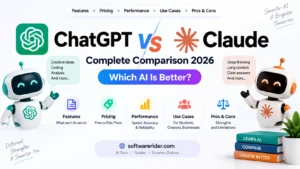
ChatGPT vs Claude
| Feature | ChatGPT | Claude |
|---|---|---|
| Writing | Excellent | Excellent |
| Coding | Excellent | Strong |
| Research Assistance | Strong | Strong |
| Ease of Use | Excellent | Excellent |
| Creative Writing | Excellent | Excellent |
| Ecosystem & Integrations | Broad | Growing |
Best for: Users seeking a versatile AI assistant for writing, coding, productivity, and learning.
ChatGPT vs Gemini
| Feature | ChatGPT | Gemini |
|---|---|---|
| Writing | Excellent | Strong |
| Coding | Excellent | Strong |
| Productivity | Excellent | Strong |
| Learning | Excellent | Strong |
| Cross-Platform Support | Broad | Broad |
Both platforms are capable AI assistants. The better choice depends on your preferred ecosystem, workflow, and feature requirements.
ChatGPT vs Perplexity AI
| Feature | ChatGPT | Perplexity AI |
|---|---|---|
| Writing | Excellent | Good |
| Brainstorming | Excellent | Good |
| Coding | Excellent | Good |
| Research Assistance | Strong | Strong |
| Conversational Experience | Excellent | Good |
ChatGPT excels at content creation and interactive conversations, while Perplexity AI is often favored for research-oriented workflows that emphasize source-backed answers.
Best ChatGPT Alternatives
If ChatGPT doesn’t fit your workflow, consider these alternatives:
| AI Tool | Best For |
|---|---|
| Claude | Long-form writing and analysis |
| Gemini | Productivity within the Google ecosystem |
| Perplexity AI | Research with cited sources |
| Microsoft Copilot | Microsoft 365 productivity |
| Grok | Conversational AI and general assistance |
The ideal choice depends on your budget, required features, and existing software ecosystem.
Is ChatGPT Safe?
ChatGPT includes safety measures designed to reduce harmful outputs and improve reliability. However, users should still follow good security practices.
Best Practices
- Avoid sharing confidential business information.
- Do not enter passwords or sensitive personal data.
- Review AI-generated content before publishing.
- Verify important facts from trusted sources.
- Follow your organization’s data security policies.
Tips for Getting Better Results
Use Specific Prompts
Instead of:
Write an article.
Try:
Write a 2,000-word SEO-friendly article about AI website builders for beginners with comparison tables and FAQs.
Define the Audience
Examples:
- Beginners
- Students
- Developers
- Digital marketers
- Business owners
Specify the Format
Examples:
- Table
- Checklist
- Blog article
- Step-by-step guide
- Comparison chart
Ask for Improvements
Examples:
- Make it shorter.
- Improve readability.
- Add examples.
- Optimize for SEO.
- Rewrite in a professional tone.
Frequently Asked Questions
Is ChatGPT free?
Yes. ChatGPT offers a free tier, while additional features and higher usage limits are available through paid plans.
Can ChatGPT write SEO articles?
Yes. It can help create outlines, drafts, FAQs, meta descriptions, and other SEO-related content. Human editing is recommended to ensure accuracy, originality, and alignment with search intent.
Can ChatGPT generate code?
Yes. It supports many programming languages and can assist with writing, debugging, explaining, and improving code.
Is ChatGPT suitable for businesses?
Yes. Businesses use ChatGPT for customer support drafts, documentation, marketing, content creation, and productivity tasks. Outputs should be reviewed before use in production or customer-facing contexts.
Can students use ChatGPT?
Yes. Students use it for learning, practice questions, concept explanations, research summaries, and writing assistance. It should complement, not replace, independent learning.
Does ChatGPT support multiple languages?
Yes. It can understand and generate content in many languages, making it useful for multilingual communication and localization.
Final Verdict
ChatGPT remains one of the most versatile AI assistants available in 2026. It supports a broad range of tasks—from writing and coding to learning, research, and business productivity—making it valuable for individuals and organizations alike.
Its strengths include ease of use, flexible capabilities, and continuous improvements. However, users should remember that AI-generated content benefits from human review, particularly when accuracy, originality, or specialized expertise is important.
Whether you’re a student, developer, marketer, entrepreneur, or content creator, ChatGPT can be a powerful addition to your workflow when used thoughtfully.
Overall Rating: 4.8/5
| Category | Rating |
|---|---|
| Ease of Use | ⭐⭐⭐⭐⭐ |
| Features | ⭐⭐⭐⭐⭐ |
| Writing Quality | ⭐⭐⭐⭐⭐ |
| Coding Assistance | ⭐⭐⭐⭐⭐ |
| Productivity | ⭐⭐⭐⭐⭐ |
| Value for Money | ⭐⭐⭐⭐☆ |
| Overall | 4.8/5 |
Related Articles for SoftwareRider
Use internal links to strengthen topical authority:
- Best AI Chatbots in 2026
- Claude Review
- Gemini Review
- Perplexity AI Review
- Best AI Writing Tools
- Best AI Coding Assistants
- AI Tools for Students
- AI Tools for Developers
- AI Tools for Digital Marketing
- Prompt Engineering Guide
- Best Free AI Tools
- AI Productivity Tools
Call to Action
Ready to explore AI-powered productivity? Try ChatGPT for writing, coding, brainstorming, and learning, then compare it with other leading AI assistants to find the one that best matches your workflow.