

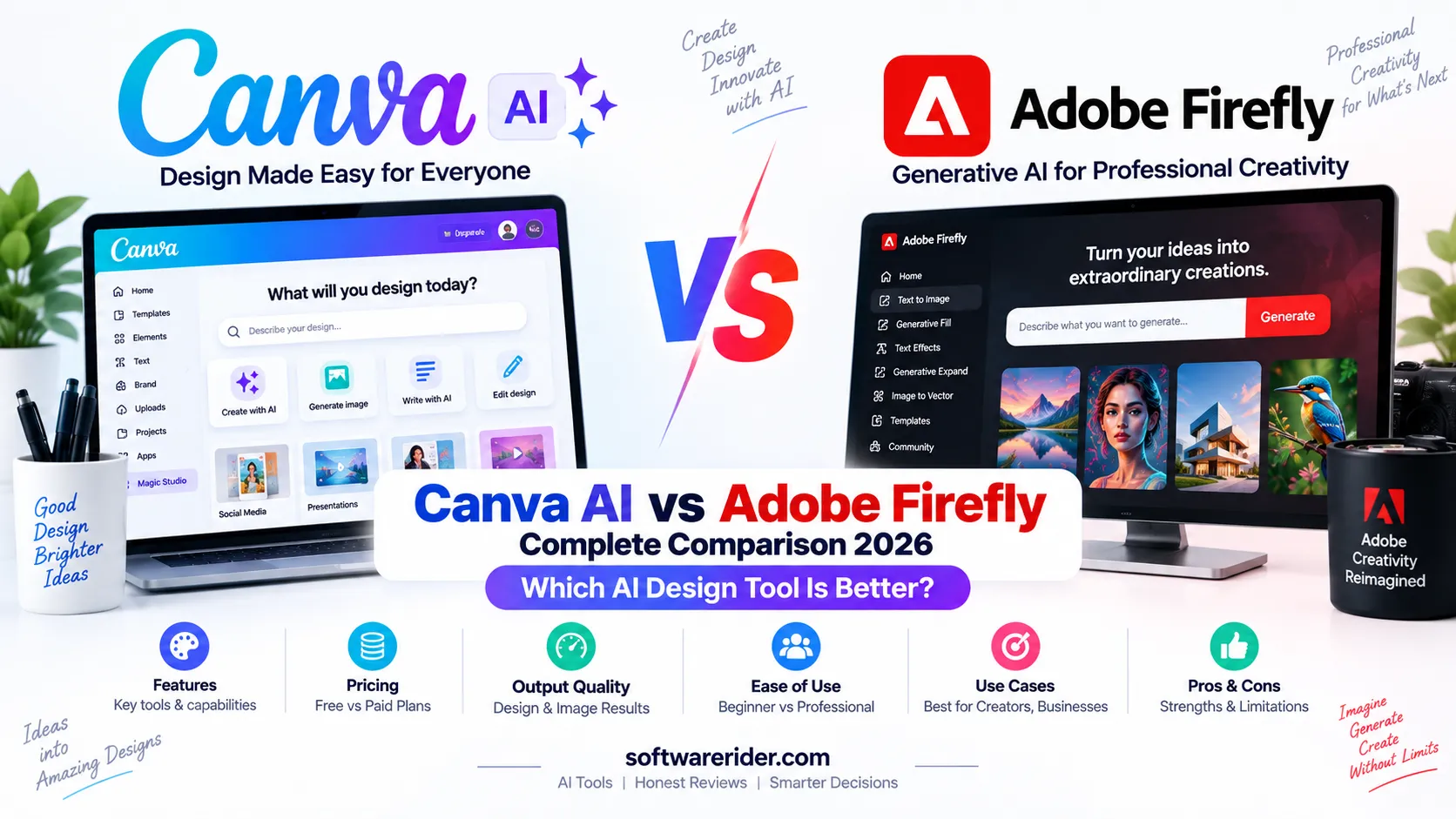
Canva AI vs Adobe Firefly is one of the most useful comparisons for designers, marketers, content creators, social media managers and businesses in 2026. Both platforms use generative AI to create and edit visual content, but they approach the creative workflow very differently.
Quick answer: Canva AI is generally better for fast, easy, editable designs, social media content, presentations, brand content and all-in-one visual communication. Adobe Firefly is stronger for professional creative workflows, AI image and video generation, advanced editing, multi-model experimentation and integration with Adobe’s creative ecosystem.
If you want an easy design platform that combines templates, AI, presentations, documents, social content and brand tools, Canva AI is usually the easier choice. If you work professionally with Photoshop, Illustrator, Premiere or other Adobe workflows, Firefly can be the more powerful option.
Table of Contents
- Canva AI vs Adobe Firefly: Quick Comparison
- What Is Canva AI?
- What Is Adobe Firefly?
- The Biggest Difference Between Canva AI and Firefly
- Feature Comparison
- Image Generation
- Image Editing
- AI Video Generation
- Design Workflow
- Templates and Ready-Made Designs
- Branding and Brand Consistency
- Social Media Content
- Presentations
- Marketing and Business
- AI Model Selection
- Canva Code vs Adobe Creative Workflows
- Ease of Use
- Professional Design
- Pricing and AI Credits
- Free Version Comparison
- Commercial Use and Content Considerations
- For Students
- For Content Creators
- For Designers
- For Digital Marketers
- For Businesses
- Pros and Cons
- Which Is Better?
- Can You Use Canva AI and Firefly Together?
- Limitations
- Frequently Asked Questions
- Final Verdict
Canva AI vs Adobe Firefly: Quick Comparison
| Category | Canva AI | Adobe Firefly | Winner |
|---|---|---|---|
| Ease of use | Excellent | Very good | Canva AI |
| AI image generation | Excellent | Excellent | Close |
| AI image editing | Excellent | Excellent | Firefly |
| AI video generation | Strong | Excellent | Firefly |
| Templates | Excellent | Strong | Canva AI |
| Social media design | Excellent | Excellent | Canva AI |
| Presentations | Excellent | Strong | Canva AI |
| Brand kits | Excellent | Excellent | Canva AI |
| Professional photo editing | Strong | Excellent | Firefly |
| Professional creative workflow | Strong | Excellent | Firefly |
| Multi-model AI access | More focused | Excellent | Firefly |
| AI-powered web research | Yes | Available through Firefly workflows | Canva AI |
| Interactive creation | Canva Code 2.0 | Adobe creative ecosystem | Canva AI |
| Creative Cloud integration | No | Excellent | Firefly |
| Beginners | Excellent | Good | Canva AI |
| Professional designers | Very good | Excellent | Firefly |
Overall: Canva AI is the better all-purpose design platform for most beginners, marketers and content creators. Adobe Firefly is the stronger choice for professional creative production, advanced image/video workflows and Adobe users.
What Is Canva AI?
Canva AI is Canva’s collection of artificial intelligence tools for creating, editing and transforming visual and written content. It combines AI directly with Canva’s visual design environment instead of treating AI generation as a separate workflow.
Canva AI 2.0 expands this approach into a conversational and agentic creative platform. Canva says AI 2.0 can understand a goal or brief, generate layered editable designs, maintain brand context, conduct web research, connect to external tools, schedule tasks, work with Sheets and create interactive experiences with Canva Code 2.0.
A particularly important distinction is that Canva AI 2.0 is designed to generate editable design objects rather than simply producing one flat image. Canva currently describes AI 2.0 as a research preview.
What Is Adobe Firefly?
Adobe Firefly is Adobe’s generative AI platform for creating and editing images, video, audio and vector content. It is designed to work both as a standalone creative AI environment and as part of Adobe’s wider creative ecosystem.
Firefly includes tools for image generation, image editing, video generation, audio generation, vector creation, visual ideation and AI-powered editing. It also provides access to selected partner AI models, allowing creators to compare different models without leaving the Firefly environment.
The Biggest Difference Between Canva AI and Adobe Firefly
| Canva AI | Adobe Firefly |
|---|---|
| Design-first AI platform | Generative-creative AI platform |
| Designed around ease of use | Designed around professional creative control |
| Strong template ecosystem | Strong Adobe creative ecosystem |
| Excellent social and presentation workflows | Excellent image, video and editing workflows |
| Layered editable AI design output | Advanced generative and editing workflows |
| Brand-focused visual communication | Professional production and asset creation |
| Canva Code for interactive experiences | Creative Cloud integrations |
The simplest way to understand the difference is this: Canva AI helps you turn ideas into finished designs quickly, while Adobe Firefly gives creative professionals a broader generative production environment.
Canva AI vs Adobe Firefly: Feature Comparison
| Feature | Canva AI | Adobe Firefly |
|---|---|---|
| AI image generation | Yes | Yes |
| Image-to-image workflows | Yes | Yes |
| Image editing | Yes | Yes |
| Generative fill | Yes | Yes |
| Background removal | Yes | Yes |
| AI video | Yes | Yes |
| Audio generation | Selected AI workflows | Yes |
| Vector generation | Yes | Yes |
| Templates | Excellent | Strong |
| Presentations | Excellent | Strong |
| Social media | Excellent | Excellent |
| Brand management | Excellent | Excellent |
| Web research | Yes | Creative research/ideation workflows |
| Interactive experiences | Canva Code 2.0 | Adobe creative tools |
| Partner AI models | More limited | Broad multi-model access |
Canva AI vs Adobe Firefly for Image Generation
Both platforms can generate images from text prompts and support creative image workflows. The difference is primarily in how those generations fit into the larger design process.
| Image Task | Canva AI | Adobe Firefly | Best Choice |
|---|---|---|---|
| Text-to-image | Excellent | Excellent | Both |
| Social media graphics | Excellent | Excellent | Canva |
| Marketing visuals | Excellent | Excellent | Both |
| Photorealistic experimentation | Strong | Excellent | Firefly |
| AI image editing | Excellent | Excellent | Firefly |
| AI-generated design layouts | Excellent | Strong | Canva |
Winner: Tie for basic generation. Canva has the advantage when the generated image immediately needs to become part of a finished social post, presentation or marketing design. Firefly has the advantage when image generation and professional editing are the primary task.
Canva AI vs Adobe Firefly for Image Editing
Adobe has a particularly strong position in AI-assisted image editing because Firefly is deeply connected to Adobe’s professional image-editing ecosystem.
| Editing Task | Canva AI | Adobe Firefly | Winner |
|---|---|---|---|
| Remove objects | Yes | Yes | Firefly |
| Remove backgrounds | Excellent | Excellent | Both |
| Expand image | Yes | Yes | Both |
| Generative Fill | Yes | Excellent | Firefly |
| Professional retouching | Good | Excellent | Firefly |
| Quick social edits | Excellent | Excellent | Canva |
Canva AI vs Adobe Firefly for AI Video
AI video has become an important difference between the platforms. Adobe Firefly now provides text-to-video and image-to-video workflows and also gives users access to multiple partner video models inside its creative environment.
| Video Requirement | Canva AI | Adobe Firefly | Winner |
|---|---|---|---|
| Social videos | Excellent | Excellent | Both |
| Text-to-video | Strong | Excellent | Firefly |
| Image-to-video | Strong | Excellent | Firefly |
| Professional video generation | Good | Excellent | Firefly |
| Quick marketing videos | Excellent | Excellent | Both |
| Multi-model video experimentation | Limited | Excellent | Firefly |
Winner for AI video: Adobe Firefly.
Canva AI vs Adobe Firefly for Design Workflow
Canva’s biggest strength is the distance between an AI-generated idea and a finished design. Users can combine AI output with templates, text, graphics, charts, layouts, brand assets and publishing tools inside the same environment.
Firefly is more generation-centric and becomes particularly powerful when connected with Adobe Photoshop, Illustrator, Premiere and other Creative Cloud applications.
| Workflow | Better Choice |
|---|---|
| Idea → social post | Canva |
| Idea → presentation | Canva |
| Idea → marketing campaign | Canva |
| Prompt → professional image | Firefly |
| Prompt → video concept | Firefly |
| AI image → Photoshop workflow | Firefly |
| AI image → Illustrator workflow | Firefly |
Canva AI vs Adobe Firefly for Templates
Canva has a major advantage when templates are central to the workflow. Its ecosystem is built around ready-made layouts for social media, presentations, documents, posters, marketing materials and many other formats.
Firefly is primarily a generative creative environment rather than a template-first design platform.
Winner: Canva AI.
Canva AI vs Adobe Firefly for Branding
Canva AI 2.0 includes Brand Intelligence designed to apply a brand’s fonts, colours and style to generated work. This makes it particularly useful for marketing teams that need to create many branded assets quickly.
Adobe also provides strong brand and professional creative workflows through Creative Cloud, Photoshop, Illustrator, Adobe Express and Firefly.
| Branding Need | Canva AI | Firefly | Edge |
|---|---|---|---|
| Brand colours | Excellent | Excellent | Both |
| Brand fonts | Excellent | Excellent | Both |
| Fast branded social posts | Excellent | Strong | Canva |
| Professional image production | Strong | Excellent | Firefly |
| Large creative production workflow | Strong | Excellent | Firefly |
Canva AI vs Adobe Firefly for Social Media
For social media managers, Canva AI is usually the more convenient choice because it combines AI generation with templates, resizing, typography, layouts, brand assets and publishing-oriented workflows.
| Social Media Task | Canva AI | Firefly | Winner |
|---|---|---|---|
| Instagram posts | Excellent | Excellent | Canva |
| Instagram carousels | Excellent | Strong | Canva |
| LinkedIn graphics | Excellent | Excellent | Canva |
| YouTube thumbnails | Excellent | Excellent | Canva |
| Social videos | Excellent | Excellent | Both |
| AI visual generation | Excellent | Excellent | Both |
Canva AI vs Adobe Firefly for Presentations
Canva is the stronger choice for users who regularly create presentations. Its design environment is built around presentation layouts, templates, charts, visuals and collaborative editing.
Firefly can generate visual assets for presentations, but Canva provides a more direct end-to-end presentation workflow.
Winner: Canva AI.
Canva AI vs Adobe Firefly for Marketing
| Marketing Task | Canva AI | Firefly | Winner |
|---|---|---|---|
| Social campaigns | Excellent | Excellent | Canva |
| Ad creatives | Excellent | Excellent | Both |
| Product visuals | Excellent | Excellent | Firefly |
| Presentations | Excellent | Strong | Canva |
| Marketing videos | Excellent | Excellent | Both |
| Brand consistency | Excellent | Excellent | Both |
| Campaign production | Excellent | Excellent | Both |
Canva AI vs Adobe Firefly: AI Model Selection
One of Adobe Firefly’s biggest advantages in 2026 is its multi-model strategy. Adobe allows users to access selected third-party models alongside Adobe’s own models, including models from companies such as Google, OpenAI, Runway, Luma AI and Kling.
This means creators can test different models against the same prompt and choose the output that best fits their project.
| Capability | Canva AI | Adobe Firefly |
|---|---|---|
| Native AI models | Yes | Yes |
| Third-party models | More limited | Broad selection |
| Compare models | Limited | Strong |
| Image model choice | Focused experience | Multiple options |
| Video model choice | Focused experience | Multiple options |
Winner: Adobe Firefly.
Canva Code vs Adobe Creative Workflows
Canva AI 2.0 extends beyond traditional graphic design through Canva Code 2.0. Canva describes it as a way to create interactive experiences from conversational prompts, including responsive experiences and HTML importing.
Adobe approaches interactive and professional creative production differently, relying on the broader Creative Cloud ecosystem and specialized applications.
| Requirement | Better Option |
|---|---|
| Simple interactive experience | Canva Code |
| No-code visual creation | Canva |
| Professional photo editing | Adobe |
| Professional vector design | Adobe |
| Professional video production | Adobe |
Canva AI vs Adobe Firefly: Ease of Use
Canva has traditionally been designed for people who want professional-looking results without needing extensive graphic-design training.
Adobe Firefly is also increasingly accessible, but its greatest value becomes apparent when users understand professional creative workflows and Adobe’s broader ecosystem.
| User Type | Better Choice |
|---|---|
| Complete beginner | Canva |
| Student | Canva |
| Social media manager | Canva |
| Small business owner | Canva |
| Professional designer | Firefly |
| Photographer | Firefly |
| Video professional | Firefly |
| Adobe Creative Cloud user | Firefly |
Canva AI vs Adobe Firefly for Professional Designers
Professional designers often need precise control over images, vectors, layers, colour, typography and production workflows. Adobe has a significant advantage here because Firefly operates within the wider Adobe creative ecosystem.
Canva can still be highly useful for rapid production, collaboration, marketing assets and brand content, especially when speed and accessibility are priorities.
Winner for professional creative production: Adobe Firefly.
Canva AI vs Adobe Firefly: Pricing and AI Credits
Pricing and AI allowances change frequently, so this section should be reviewed whenever either company changes its plans.
Canva AI Pricing and AI Allowance
| Canva Plan | AI Allowance Snapshot |
|---|---|
| Free | Up to 20 uses of Standard or Premium AI tools; no Ultra |
| Pro | Up to 200 Premium or 20 Ultra uses |
| Business | Up to 400 Premium or 40 Ultra uses |
| Enterprise | Up to 400 Premium or 40 Ultra uses |
Canva explains that AI usage is pooled across eligible AI tools and resets monthly. The actual number of uses can vary because more complex tasks and higher-tier AI tools consume more of the allowance.
Adobe Firefly Pricing
| Firefly Plan | India Price Snapshot | Generative Credits |
|---|---|---|
| Free | Free | Limited daily generations |
| Standard | ₹797.68/month incl. GST | 2,000/month |
| Pro | ₹1,596.54/month incl. GST | 4,000/month |
| Pro Plus | ₹3,990.76/month regular price | 10,000/month |
| Premium | ₹15,965.40/month regular price | 50,000/month |
Adobe’s current Firefly plans include standard AI features and credit-based premium features. Higher plans provide more credits and additional access to premium creative capabilities.
Pricing winner: There is no universal winner. Canva can be more economical for users who need an all-purpose design platform, while Firefly can provide more value to professional creators who actively use Adobe’s creative ecosystem.
Canva AI vs Adobe Firefly: Free Version
| Free Capability | Canva | Firefly |
|---|---|---|
| Free access | Yes | Yes |
| AI image generation | Limited | Limited daily generations |
| AI video | Limited | Limited daily generations |
| Templates | Strong | More limited |
| Professional editing ecosystem | Limited compared with Adobe | Strong |
| Beginner friendliness | Excellent | Very good |
Free-plan winner: Canva for general design and content creation; Firefly for experimenting with Adobe’s generative creative tools.
Canva AI vs Adobe Firefly: Commercial Use and Content Considerations
Commercial use should not be judged only by whether an AI tool has a commercial-use label. Users should review the provider’s current terms, content policies, model-specific conditions and any third-party model restrictions before using generated assets commercially.
Adobe specifically distinguishes between its own Firefly models and partner models. When using third-party models, creators should review the applicable model and project requirements rather than assuming every partner output has identical commercial-use conditions.
Canva AI vs Adobe Firefly for Students
| Student Task | Recommended | Reason |
|---|---|---|
| Presentations | Canva | Easy presentation workflow |
| Infographics | Canva | Templates and simple editing |
| Social projects | Canva | Fast visual production |
| AI image experimentation | Both | Both provide strong generation |
| Professional image editing | Firefly | Adobe ecosystem |
| Video generation | Firefly | More advanced AI video workflow |
Canva AI vs Adobe Firefly for Content Creators
For YouTubers, bloggers, Instagram creators and LinkedIn creators, Canva is often the easier daily production tool because one workflow can cover thumbnails, posts, carousels, presentations and other marketing assets.
Firefly becomes particularly attractive when creators need AI-generated video, professional image editing, multiple AI models or Adobe Creative Cloud integration.
Recommendation: Canva for everyday content production; Firefly for advanced visual generation and professional production.
Canva AI vs Adobe Firefly for Designers
Designers who need pixel-level control, advanced image editing, vector workflows and integration with professional Adobe applications will generally benefit more from Firefly.
Designers who create large volumes of social media graphics, presentations, marketing assets and branded content may find Canva faster and more efficient.
Canva AI vs Adobe Firefly for Digital Marketers
| Marketing Need | Winner |
|---|---|
| Social media graphics | Canva |
| Ad creatives | Both |
| Brand content | Canva |
| Product images | Firefly |
| AI video | Firefly |
| Presentations | Canva |
| Marketing campaign production | Both |
Canva AI vs Adobe Firefly for Businesses
Businesses should choose based on workflow rather than simply comparing AI generation quality.
| Business Requirement | Canva AI | Firefly |
|---|---|---|
| Marketing teams | Excellent | Excellent |
| Brand management | Excellent | Excellent |
| Social media teams | Excellent | Strong |
| Creative departments | Strong | Excellent |
| Professional video teams | Strong | Excellent |
| Presentation-heavy teams | Excellent | Strong |
| Adobe Creative Cloud users | Good | Excellent |
Canva AI vs Adobe Firefly: Pros and Cons
| Platform | Pros | Cons |
|---|---|---|
| Canva AI | Easy to use; excellent templates; strong social media workflow; presentations; brand tools; editable AI designs; broad visual communication platform | Less focused on professional creative editing; AI allowance varies by plan and tool complexity |
| Adobe Firefly | Professional creative ecosystem; strong image/video generation; advanced editing; multiple AI models; Creative Cloud integration | Can feel more complex; premium AI workflows consume credits; best value often comes with Adobe ecosystem familiarity |
Which Is Better: Canva AI or Adobe Firefly?
| If You Need… | Best Choice |
|---|---|
| Easy AI design | Canva AI |
| Social media content | Canva AI |
| Presentations | Canva AI |
| Templates | Canva AI |
| Fast branded content | Canva AI |
| Professional image editing | Adobe Firefly |
| AI video generation | Adobe Firefly |
| Professional creative production | Adobe Firefly |
| Multiple AI model experimentation | Adobe Firefly |
| Adobe Creative Cloud workflow | Adobe Firefly |
| Beginner-friendly design | Canva AI |
| Small-business marketing | Canva AI |
| Professional designer | Adobe Firefly |
Can You Use Canva AI and Adobe Firefly Together?
Yes. In fact, using both can create a powerful creative workflow.
| Workflow Step | Recommended Tool |
|---|---|
| Generate advanced product image | Adobe Firefly |
| Generate AI video | Adobe Firefly |
| Professional image editing | Adobe Firefly |
| Create social media post | Canva |
| Create carousel | Canva |
| Create presentation | Canva |
| Build branded campaign assets | Canva |
| Final professional editing | Adobe |
For example, a marketing team could generate a high-quality product scene in Firefly, refine the image in Adobe’s creative tools, then import the finished asset into Canva to create social posts, presentations and campaign variations.
Limitations of Canva AI and Adobe Firefly
- AI-generated content can contain visual or factual errors.
- AI usage limits and credits vary by plan.
- Some advanced features may require paid plans.
- Model availability can change over time.
- Partner AI models may have different capabilities and conditions.
- Commercial projects should be reviewed for applicable terms and licensing requirements.
- Human review remains important for brand-sensitive and professional work.
Frequently Asked Questions
Is Canva AI better than Adobe Firefly?
Canva AI is better for easy design, templates, social media content, presentations and fast branded production. Adobe Firefly is better for professional image and video generation, advanced editing and Adobe Creative Cloud workflows.
Is Adobe Firefly better for image generation?
Both are capable image-generation platforms. Firefly has an advantage for users who want professional creative workflows and access to multiple AI models, while Canva is stronger for turning generated visuals into finished designs quickly.
Is Canva better for social media?
Yes, Canva is generally the easier choice for social media because it combines AI generation with templates, layouts, resizing, typography, brand assets and other content-production features.
Is Adobe Firefly better for AI video?
Adobe Firefly has a strong advantage for AI video because it provides dedicated video-generation workflows and access to multiple partner video models within the Firefly environment.
Which is better for professional designers?
Adobe Firefly is generally better for professional designers who need advanced editing, image generation, video and integration with Adobe Creative Cloud. Canva remains excellent for rapid marketing and brand-content production.
Which is easier for beginners?
Canva AI is generally easier for beginners because its workflow is centered around templates, drag-and-drop design and ready-to-use layouts.
Which is better for digital marketing?
Canva AI is usually the better everyday marketing platform because of its social media, presentation, branding and design workflows. Firefly is particularly valuable when marketing teams need advanced product imagery, video or professional creative production.
Which has the better free AI design tools?
Canva is generally better for free general-purpose design, while Adobe Firefly provides a useful free entry point for experimenting with AI image, video and audio generation. Free limits can change over time.
Can I use Canva AI and Adobe Firefly together?
Yes. A strong workflow is to use Firefly for advanced image or video generation and Canva for final social media graphics, presentations, carousels and branded communication.
Which is better for business?
Canva is often better for marketing and communication teams, while Adobe Firefly is particularly strong for professional creative departments and businesses already using Adobe Creative Cloud.
Final Verdict: Canva AI vs Adobe Firefly 2026
| Category | Winner |
|---|---|
| Ease of use | Canva AI |
| Templates | Canva AI |
| Social media | Canva AI |
| Presentations | Canva AI |
| Fast marketing design | Canva AI |
| Image generation | Close |
| Image editing | Adobe Firefly |
| AI video | Adobe Firefly |
| Professional creative workflows | Adobe Firefly |
| Multi-model AI | Adobe Firefly |
| Adobe ecosystem integration | Adobe Firefly |
| Beginner users | Canva AI |
| Professional designers | Adobe Firefly |
| Small-business content | Canva AI |
| Advanced creative production | Adobe Firefly |
Canva AI is the better choice for most everyday content creators, marketers, students and small businesses. It makes it easy to move from an idea to a finished design without requiring advanced design skills.
Adobe Firefly is the better choice for professional designers, photographers, video creators and Adobe Creative Cloud users who need advanced generation, editing, video and multi-model creative workflows.
For serious content teams, the best solution may actually be to use both: Firefly for advanced AI asset generation and Canva for rapid communication, branding and content distribution.
Bottom line: Canva AI wins on simplicity, templates, social content and everyday visual communication. Adobe Firefly wins on professional creative control, AI video, advanced editing and multi-model generative workflows.
Editorial Note
This comparison reflects the AI design landscape around September 2026. Canva and Adobe frequently update their AI models, features, pricing, credits and plan benefits. Verify the current plan details before purchasing or deploying either platform for professional work.
Last reviewed: September 2026
Official Sources
- Canva AI 2.0 and Canva AI documentation
- Canva pricing and AI allowance documentation
- Adobe Firefly official product page
- Adobe Firefly plans and pricing
- Adobe Firefly partner models documentation
- Adobe Creative Cloud generative AI documentation
Related SoftwareRider guide: Canva AI Complete Guide