
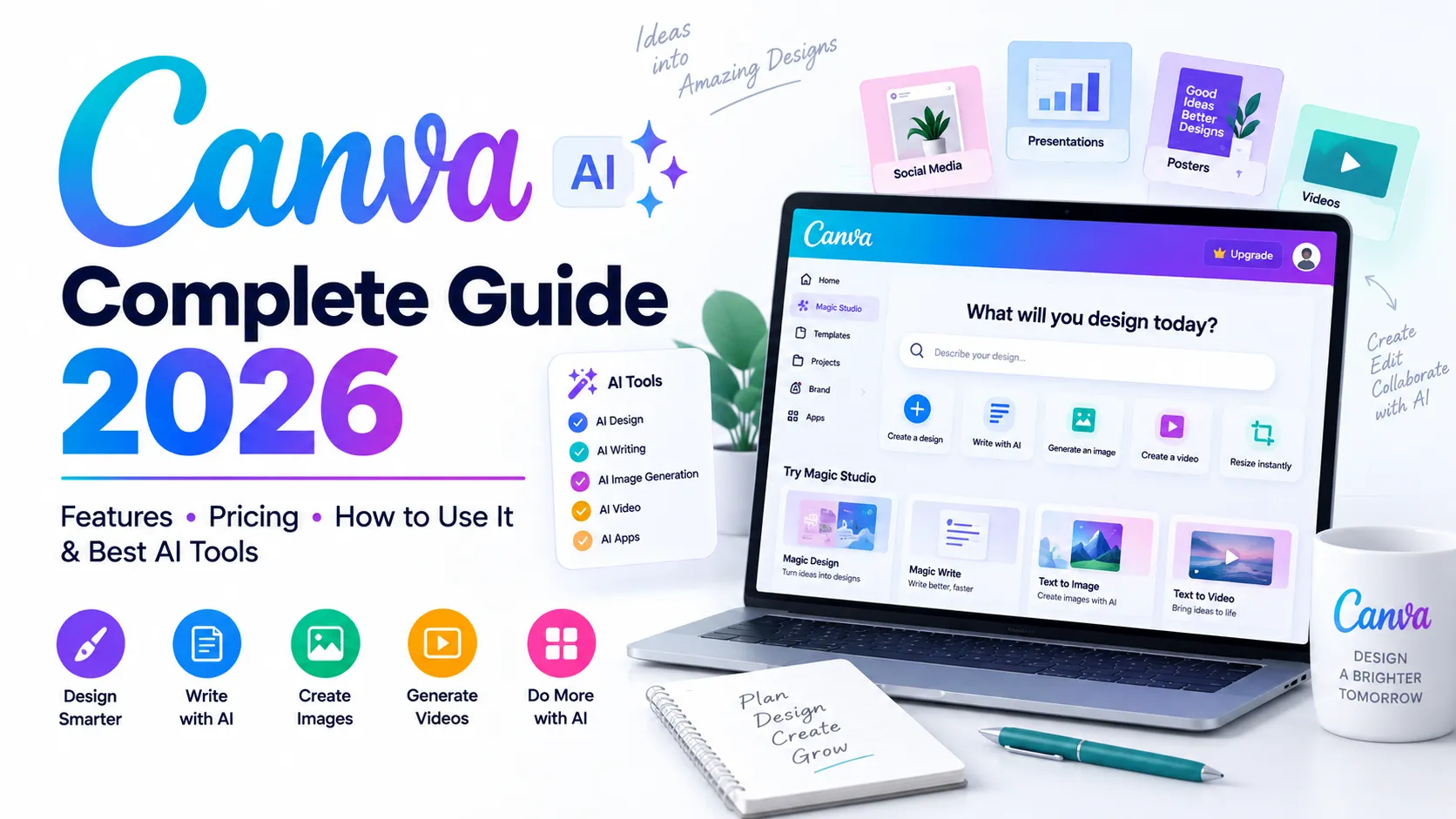
Canva AI is Canva’s collection of AI-powered creation tools for turning natural-language instructions, existing content and ideas into designs, text, images, video, interactive experiences and other creative work. In 2026, Canva is expanding that workflow with Canva AI 2.0, which Canva describes as a conversational creative partner that can help users move from an idea to an editable result while keeping the user in control.
Unlike a general-purpose AI chatbot, Canva AI is tightly connected to Canva’s visual editor, templates, brand tools and publishing workflow. That makes it especially useful for people who need to create, edit, brand and distribute visual content without moving between many separate applications.
The practical idea is simple: start with an objective, give Canva enough context, generate a first version, review it, refine it and make the final creative decisions yourself.
Editorial note: This guide is based primarily on Canva’s current official product pages, help documentation, newsroom announcements and pricing information. Feature availability, AI allowances and pricing can change by plan, region and rollout status, so important purchasing decisions should be checked against Canva’s live documentation.
Quick Answer: What Is Canva AI?
Canva AI is Canva’s AI-powered creative layer for generating and editing designs, writing, images and other content through natural-language instructions. Canva AI 2.0 extends this idea into a conversational workflow in which users can start with an idea, continue refining a design through conversation and make manual edits when they want precise control.
- Best for: visual content creation, presentations, social media, marketing, education, branding and small-business content.
- Key strength: AI generation is connected to an editable visual design environment.
- Canva AI 2.0: adds conversational creation, agentic workflows, editable layered output, brand intelligence, web research, scheduling, connectors, Sheets AI and Canva Code 2.0.
- Free access: available, but AI usage and feature access depend on the plan and tool.
- Main limitation: AI output still needs human review for accuracy, design quality, originality, brand fit and appropriate use.
Table of Contents
- What Is Canva AI?
- What Is Canva AI 2.0?
- How Does Canva AI Work?
- Canva AI Features
- Canva Magic Studio and AI Tools
- Magic Write
- Magic Design
- AI Image Generation
- Canva AI Video
- Canva Code
- Brand Intelligence and AI Workflows
- Canva AI for Students
- Canva AI for Bloggers
- Canva AI for Digital Marketing
- Canva AI for Business
- Canva AI for Social Media
- Canva AI Pricing and AI Usage
- Is Canva AI Free?
- Canva AI vs Other AI Tools
- Pros and Cons
- Best Use Cases
- How to Use Canva AI
- Best Canva AI Prompt Tips
- Can Canva AI Help With SEO?
- Canva AI and GEO/AEO
- Limitations and Responsible Use
- E-E-A-T and Editorial Quality
- Frequently Asked Questions
- Who Should Use Canva AI?
- Final Verdict
- Official Sources
What Is Canva AI?
Canva AI is an AI-powered set of capabilities inside the Canva ecosystem. It helps users generate, transform, edit and organize creative work using natural-language instructions. Depending on the feature and plan, this can include writing, images, video, layouts, interactive experiences, brand-aware creation and other AI-assisted tasks.
The important distinction is that Canva AI is not designed only to answer questions. Its value comes from connecting AI generation to a real editable design workflow. You can generate a first draft and then continue editing the underlying design instead of treating the AI response as a finished, locked result.
Canva also states that its AI ecosystem combines Canva technology with third-party AI models and its broader template and content ecosystem. This helps explain why Canva AI can feel more like a creative production environment than a standalone chatbot.
What Is Canva AI 2.0?
Canva AI 2.0 is Canva’s newer conversational approach to creation. Canva announced it as a research preview and described it as a major evolution toward a conversational, agentic platform. The company says users can begin with an idea, goal, brief, rough sketch or unfinished thought and work through the creation process conversationally.
A central difference is the emphasis on editable, layered output. Canva says its design model is intended to understand design structure, hierarchy and complexity so generated work can remain editable at the object level. That means AI is intended to help with the creative process without taking away manual control.
Key Canva AI 2.0 Capabilities
- Conversational design: describe an idea and continue refining the result through conversation.
- Agentic orchestration: coordinate multiple Canva capabilities to work toward a broader creative goal.
- Layered object intelligence: generate designs as editable components rather than only flat images.
- Memory Library: Canva describes persistent memory that can help personalize future creation.
- Connectors: connect supported external tools and context to creative workflows.
- Scheduling: schedule AI tasks for later or recurring workflows where available.
- Web research: bring researched information into creative work.
- Brand Intelligence: use brand fonts, colours and style information in creation.
- Sheets AI: generate structured spreadsheet workflows from descriptions.
- Canva Code 2.0: create responsive interactive experiences and, according to Canva, import HTML for editing.
Availability note: Canva’s announcement described Canva AI 2.0 as a research preview with broader rollout planned. Canva’s current product pages also indicate that availability and access can evolve. Do not assume every AI 2.0 capability is available on every account.
How Does Canva AI Work?
A practical Canva AI workflow is best understood as an iterative creation loop rather than a one-shot generation process.
- 1. Define the goal: explain what you want to create and why.
- 2. Add context: include audience, format, dimensions, style, content, brand rules and constraints.
- 3. Generate: let Canva produce an initial design, document, image or other output.
- 4. Inspect: check text, facts, hierarchy, layout, accessibility and brand fit.
- 5. Refine: use conversational edits and manual controls.
- 6. Brand: apply the correct colours, fonts, logos, templates and visual rules.
- 7. Export or publish: deliver the final asset in the appropriate format.
The strongest results usually come from combining AI speed with human direction. A vague prompt can produce a generic design; a clear brief gives the system more useful constraints.
Canva AI Features
| Feature | What it helps you do |
|---|---|
| Canva AI | Start and refine creative work through conversational instructions. |
| Magic Write | Generate, rewrite, summarize and refine text. |
| Magic Design | Create or recommend layouts and design directions from supplied content or ideas. |
| AI image tools | Generate visual assets from prompts and edit existing visuals. |
| AI video tools | Generate or assist with video and motion workflows, depending on the feature. |
| Canva Code | Create prompt-driven interactive experiences. |
| Brand Intelligence | Apply brand context, fonts, colours and style to creative work. |
| Sheets AI | Generate structured spreadsheet content and workflows. |
| AI editing | Modify, enhance, resize or transform existing creative assets. |
| Magic Layers and related tools | Turn or work with AI-generated visual content as editable design components where supported. |
Canva Magic Studio and Canva AI Tools
Magic Studio is Canva’s broader family of AI-powered creative features. Canva AI and Magic Studio should not be treated as two completely separate products: Canva’s AI capabilities are distributed across different creation and editing experiences.
Depending on the feature and current account access, the ecosystem can cover writing, design generation, image creation, image editing, video, translation, animation, resizing and other creative tasks. Canva’s current AI pages also highlight tools such as Magic Layers, AI-powered Elements, AI-powered Templates, Style Match, 3D Content Generator, Video Generator, AI-powered Photo Editor, Photo Generator and Magic Background.
Because Canva changes and expands its AI tools frequently, the safest way to evaluate a specific feature is to check its current product page and the plan-specific AI allowance rather than relying on an old feature list.
Magic Write: Canva’s AI Writing Assistant
Magic Write is Canva’s AI writing assistant. It can help with drafting, brainstorming, rewriting, summarizing and refining text inside Canva’s creative workflows.
What Can You Use Magic Write For?
- Blog outlines and ideas
- Social media captions
- Marketing copy
- Presentation text
- Email drafts
- Headlines and short-form copy
- Summaries
- Rewriting and tone changes
- Brainstorming
- Content refinement
Magic Write is most useful as a drafting and editing assistant. Important facts, statistics, claims and quotations should still be checked against reliable sources before publication.
Magic Design
Magic Design helps users move from supplied content or an idea to a suitable visual layout. Canva’s documentation describes it as a way to generate or recommend designs for formats such as presentations, social posts, videos and documents.
The practical benefit is reduced design friction: instead of starting from a blank page, you can give Canva the content or creative direction and then choose, edit and refine the generated result. More specific instructions and better source material generally make the output easier to refine.
Canva AI Image Generation
Canva provides AI-powered image-generation capabilities that can create visuals from text prompts. Canva also describes image-generation technology and integrations within its broader AI ecosystem.
- Blog featured images
- Social media graphics
- Presentation visuals
- Illustrations
- Creative backgrounds
- Marketing concepts
- Product concepts
- Advertising concepts
- Visual moodboards
Commercial-use caution: AI-generated content can raise copyright, trademark, likeness, licensing and originality questions. Before using important assets commercially, review Canva’s current AI Product Terms, licensing information and Acceptable Use Policy, and perform your own review of the output.
Canva AI Video and Motion Creation
Canva’s AI ecosystem includes AI-assisted and generative video workflows. The exact capability depends on the tool, plan and current product availability. It is useful to distinguish video generation from tools that simply arrange, animate or style existing content.
For many users, Canva’s practical advantage is the complete workflow: generate → edit → animate → brand → resize → publish. That can be more useful than a standalone generator when the final deliverable needs captions, branding, layouts and platform-specific versions.
Canva Code: Create Interactive Experiences With AI
Canva Code extends Canva beyond conventional static design by allowing users to describe interactive experiences in natural language. Canva positions it as a way to create interactive content without requiring traditional coding for the initial creation process.
- Interactive presentations
- Calculators
- Quizzes
- Learning activities
- Campaign experiences
- Data-driven interfaces
- Interactive prototypes
- Simple web-like experiences
Canva AI 2.0’s Canva Code 2.0 announcement goes further, describing responsive experiences, HTML importing, forms connected to Canva Sheets and publishing options. Because this area is evolving quickly, verify the exact capabilities available in your account before planning a production application around them.
Brand Intelligence and AI Workflows
One of Canva AI’s strongest business-oriented ideas is brand-aware creation. Canva describes Brand Intelligence as a way to apply brand fonts, colours and style information to generated or existing work.
For teams, this matters because the real cost of content creation is often not making one design; it is producing dozens of variations while keeping them consistent. Brand-aware AI can reduce repetitive formatting and adaptation work, but a human should still review important customer-facing assets.
Canva AI for Students
Canva AI can support students with visual communication and creative study materials. Useful applications include:
- Presentations
- Infographics
- Mind maps
- Study visuals
- Project posters
- Report layouts
- Brainstorming
- Educational graphics
- Presentation storytelling
- Visual summaries
A responsible student workflow is: Research → Understand → Create → Verify → Personalize → Submit.
Students should verify factual information and follow the AI-use and academic-integrity policies of their school, college or university. Canva AI should support learning and communication, not replace understanding.
Canva AI for Bloggers
For bloggers, Canva AI is especially valuable for the visual layer of content marketing. It can help turn written information into visual assets that are easier to share and understand.
- Featured images
- Supporting infographics
- Social media graphics
- Blog illustrations
- Presentation versions of articles
- Lead magnets
- Content upgrades
- Quote graphics
- Short-form video assets
A strong workflow is to write and fact-check the article first, then identify concepts that genuinely benefit from visual explanation. AI-generated visuals should reinforce the article rather than exist only to add decoration.
Canva AI for Digital Marketing
Canva AI can help marketers move from a campaign idea to a set of creative assets more quickly. Common applications include:
- Social media campaigns
- Ad concepts
- Email graphics
- Presentation decks
- Landing-page visuals
- Infographics
- Video concepts
- Campaign variations
- Marketing reports
- Branded content
The bigger advantage is workflow consolidation: ideation, copy, design, editing, branding and resizing can happen within one ecosystem.
Canva AI for Business
Businesses can use Canva AI for proposals, presentations, reports, internal communications, training materials, social content, marketing campaigns and branded documents.
For teams, evaluate Canva AI not only by how quickly it generates a single asset, but by whether it reduces repetitive work across a campaign or content system while maintaining brand consistency and appropriate review controls.
Canva AI for Social Media
- Post concepts
- Captions
- Carousel designs
- Short-form video assets
- Quote graphics
- Campaign visuals
- Platform-specific formats
- Branded variations
- Content repurposing
Avoid publishing identical AI-generated content everywhere. Adapt dimensions, message length, hierarchy, hooks and calls to action to the audience and conventions of each platform.
Canva AI Pricing and AI Usage in 2026
Canva’s AI access is now closely connected to plan-level AI allowances. Canva’s official documentation explains that different AI tools can use a shared monthly allowance and that usage depends on the tool, task complexity and plan. Canva also separates Standard, Premium and Ultra AI capabilities.
At the time of this guide’s September 2026 update, Canva’s official pricing page publicly lists the following individual/business reference prices in USD. Your local price may differ because Canva pricing can vary by market, billing cycle, taxes and account type.
| Plan | Official listed price/reference | AI access highlighted by Canva |
|---|---|---|
| Canva Free | US$0/year | Up to 20 Standard or Premium AI uses, subject to Canva’s usage rules. |
| Canva Pro | US$180/year per person on the displayed annual reference | More AI than Free; Canva lists 10× more Premium or Ultra AI usage than Free. |
| Canva Business | US$250/year per person on the displayed annual reference | Canva lists 20× more Premium or Ultra AI usage than Free, plus Business features. |
| Canva Enterprise | Contact Canva / organization pricing | Enterprise-level controls and plan-specific AI access; exact terms depend on the organization. |
Important: Canva’s pricing page and AI-usage documentation can change. The numbers above are a snapshot of Canva’s current official pages and should be rechecked before purchase.
Canva’s help documentation also explains that AI allowance is not simply a fixed “number of prompts.” Complex tasks can consume more AI power, and Canva AI 2.0 can use more allowance because it may perform multiple actions.
Is Canva AI Free?
Yes, Canva offers AI functionality on its Free plan, but free access is limited. Canva’s current AI-usage documentation says Free users have a limited monthly AI allowance and access to Standard or Premium AI usage, while Ultra AI tools are not included on Free.
Paid plans provide substantially more AI capacity and access to additional AI tiers. Some Standard AI tools can be used without drawing from the shared allowance on eligible paid plans, while other tools consume the allowance.
The practical answer is therefore: Canva AI is free to try, but Canva AI is not an unlimited free service.
Canva AI vs ChatGPT vs Claude vs Gemini vs Perplexity
| Tool | Strongest use case | Best fit |
|---|---|---|
| Canva AI | Visual creation, design and branded creative workflows | Creators, marketers, students, businesses and non-designers |
| ChatGPT | General AI assistance, writing, reasoning, coding and broad workflows | Users who need a flexible general-purpose AI assistant |
| Claude | Long-form writing, analysis and reasoning | Users focused on documents, analysis and coding |
| Gemini | Google ecosystem, multimodal assistance and connected workflows | Users deeply invested in Google products |
| Perplexity | Web research and citation-oriented answers | Research-first workflows |
These tools overlap increasingly, so the best choice depends on the job. Canva AI’s differentiator is the connection between AI and an editable visual production environment. For deep research or complex reasoning, a general-purpose or research-focused AI tool may be a better first step, followed by Canva for the visual execution.
Canva AI Pros and Cons
Pros
- Beginner-friendly creative workflow
- AI generation and manual editing in one environment
- Large visual design ecosystem
- Useful writing assistance
- AI image and video capabilities
- Brand-aware workflows
- Interactive creation with Canva Code
- Strong fit for marketing and content teams
- Reduces the need to switch between multiple creative tools
Cons
- AI availability varies by plan and feature
- AI-generated text and visuals require review
- Some generated layouts need manual refinement
- Advanced AI can consume more allowance
- Commercial users must understand applicable terms
- Canva is not a replacement for specialist tools in every professional workflow
Best Canva AI Use Cases
| Use case | Why Canva AI helps |
|---|---|
| Social media | Create and adapt branded visual content efficiently. |
| Blogging | Build featured images, infographics and content upgrades. |
| Education | Create presentations, diagrams and learning materials. |
| Marketing | Turn campaign concepts into multiple visual assets. |
| Branding | Apply consistent visual identity to creative work. |
| Presentations | Generate layouts and supporting visuals faster. |
| Business | Produce proposals, reports and communication materials. |
| Interactive content | Prototype and build prompt-driven experiences with Canva Code where supported. |
How to Use Canva AI: Step-by-Step
Step 1: Open Canva AI
Open Canva and look for the Canva AI experience from the homepage or the Canva AI control in the editor, depending on the current interface and account.
Step 2: Write a specific prompt
State the goal, audience, format, style, content and constraints instead of using only a few keywords.
Step 3: Generate the first version
Allow Canva to create the initial design or creative output.
Step 4: Review the result
Check facts, spelling, hierarchy, readability, visual quality and brand fit.
Step 5: Refine with AI or manual editing
Ask for targeted changes or edit individual elements yourself.
Step 6: Apply your brand
Use the correct fonts, colours, logos, imagery, templates and brand rules.
Step 7: Export or publish
Choose the appropriate format and destination after final review.
Best Canva AI Prompt Tips
A strong Canva AI prompt describes the outcome, not merely the topic. Include enough context for Canva to understand the audience, format and creative constraints.
| Prompt element | Example |
|---|---|
| Goal | Create a LinkedIn carousel explaining AI tools for students. |
| Audience | University students and beginners. |
| Topic | Practical AI tools for studying and research. |
| Format | 8-slide 1080×1080 carousel. |
| Style | Clean, modern technology design with strong hierarchy. |
| Tone | Professional, educational and beginner-friendly. |
| Brand | Use the supplied logo, fonts and brand colours. |
| Constraints | Keep each slide concise and readable on mobile. |
Prompt formula: Goal + Audience + Topic + Format + Style + Tone + Brand + Constraints + Desired outcome
Example Canva AI Prompt
Create an 8-slide LinkedIn carousel for university students explaining five practical AI tools for research and studying. Use a clean, premium technology style, strong visual hierarchy, short sentences, high readability on mobile, consistent spacing and a professional educational tone. Include a title slide, one tool per slide, a comparison slide and a final practical checklist. Use the supplied brand colours and logo. Avoid overcrowding, unsupported claims and tiny text.
Can Canva AI Help With SEO?
Canva AI is not a complete SEO platform. It does not replace keyword research, technical SEO, search analytics, content auditing or link analysis. However, it can support the visual and content-production side of an SEO workflow.
- Create useful blog featured images
- Build original explanatory infographics
- Turn complex information into visual summaries
- Create social assets that support content distribution
- Produce presentation versions of long-form content
- Create consistent branded visual assets
Visual assets alone do not guarantee higher rankings. Search performance depends on many factors, including relevance to search intent, content quality, helpfulness, technical accessibility, authority, links, user experience and the competitiveness of the query.
SEO Best Practices for Canva AI Images
- Use descriptive, human-readable filenames.
- Write accurate alt text that describes the image and its purpose.
- Compress images appropriately for page performance.
- Use original visuals when they genuinely improve the explanation.
- Do not stuff keywords into filenames or alt text.
- Keep important text out of images when the same information should be accessible as HTML text.
Canva AI and GEO/AEO
GEO generally refers to Generative Engine Optimization: making information easier for AI-powered answer systems to understand, retrieve and represent accurately. AEO focuses more specifically on structuring content to answer questions directly. Canva AI is not itself a GEO or AEO ranking platform, but it can support the content ecosystem around a strong answer-oriented publishing strategy.
How Canva AI Can Support GEO
- Create original diagrams that explain difficult concepts.
- Turn research into structured visual summaries.
- Build comparison graphics that clarify differences.
- Create branded educational assets that reinforce the same factual concepts as the article.
- Repurpose a well-researched article into multiple formats without changing the underlying facts.
What Matters More Than Visuals for GEO/AEO
- Answer important questions directly near the relevant heading.
- Use descriptive headings and logical topic structure.
- Define entities and terminology clearly.
- Support important claims with trustworthy sources.
- Separate facts from opinions and recommendations.
- Include limitations, uncertainty and context where appropriate.
- Demonstrate genuine expertise or first-hand testing when making review claims.
- Keep the underlying HTML content accessible to search engines and answer systems.
The goal should not be to manufacture AI citations. The goal is to create information that is accurate, useful, specific, well-structured and easy to verify.
Canva AI Limitations and Responsible Use
- Accuracy: AI-generated text can contain factual errors.
- Design quality: generated layouts may require refinement.
- Consistency: brand rules should be reviewed rather than assumed.
- AI allowance: complex tasks can consume more AI capacity.
- Licensing: commercial users should review current terms and rights.
- Originality: generated assets should be assessed for suitability and differentiation.
- Privacy: understand your account’s privacy controls and how connected tools are used.
- Human judgment: important creative, legal, educational and business decisions should not be delegated blindly.
Canva states that AI-generated content is subject to its AI Product Terms and Acceptable Use Policy. Review the current official policies before using AI output in sensitive or high-value commercial work.
A Better Canva AI Content Workflow
- Research: understand the topic and audience.
- Plan: define the message and desired format.
- Brief: give Canva context and constraints.
- Generate: create the first version.
- Review: check facts, hierarchy and accessibility.
- Refine: improve the result with targeted changes.
- Brand: apply consistent visual identity.
- Test: inspect readability on the actual target device or platform.
- Publish: export or publish the final asset.
- Measure: evaluate performance and improve the next version.
Canva AI and E-E-A-T
AI can assist with content production, but it cannot manufacture genuine Experience, Expertise, Authoritativeness or Trust. For a Canva AI review, the strongest evidence comes from transparent methodology, real testing, screenshots or examples where appropriate, clear limitations, accurate comparisons and links to primary sources.
Do not claim that you personally tested a Canva feature unless you actually did. If an article is based on official documentation rather than hands-on testing, say so. This distinction is especially important for software reviews because interfaces, plans and feature availability change quickly.
Recommended Editorial Methodology for SoftwareRider
- Check official product documentation first.
- Verify pricing against the live pricing page before publication.
- Separate announced, preview and generally available features.
- Record the date of important product observations.
- Test important workflows when possible.
- Use screenshots only when they reflect the current interface.
- Disclose affiliate relationships if applicable.
- Update the article when pricing or major features change.
Frequently Asked Questions About Canva AI
What is Canva AI?
Canva AI is Canva’s collection of AI-powered creation and editing capabilities for designs, text, images, video and other creative workflows. Canva AI 2.0 extends the experience into conversational creation and broader AI-assisted workflows.
Is Canva AI free?
Yes. Canva offers AI functionality on its Free plan, but usage and feature access are limited. Paid plans provide more AI capacity and access to additional AI tiers.
What is Canva AI 2.0?
Canva AI 2.0 is Canva’s conversational AI approach that can help users move from an idea to editable creative work and coordinate multiple capabilities. Canva introduced it as a research preview and has continued expanding availability.
Can Canva AI generate images?
Yes. Canva provides AI-powered image-generation capabilities that let users create visuals from text prompts, subject to the tool and plan available to the account.
Can Canva AI write content?
Yes. Magic Write can help generate, rewrite, summarize and refine text inside Canva workflows.
What is Magic Design?
Magic Design helps turn supplied content or ideas into suitable design layouts and templates for supported formats.
What is Canva Code?
Canva Code is Canva’s prompt-driven approach to creating interactive experiences without requiring traditional coding for the initial creation process.
Does Canva AI generate video?
Canva provides AI video-generation and AI-assisted video capabilities, but the exact feature, quality and usage allowance depend on the current tool and plan.
How much does Canva AI cost?
Canva AI is available across multiple plans. Canva’s current pricing page lists Free at US$0, Pro at US$180/year per person on the displayed annual reference, and Business at US$250/year per person. Local pricing may differ.
Does Canva AI have usage limits?
Yes. Canva uses plan-specific AI allowances. The amount of allowance consumed depends on the tool and the complexity of the task.
Can Canva AI replace graphic designers?
No. It can automate parts of the creative process, but professional work still benefits from human creative direction, art direction, brand judgment and quality control.
Can Canva AI help with SEO?
It can support the visual side of SEO content production, but it is not a substitute for SEO research, technical optimization, analytics or content strategy.
Can Canva AI help with GEO or AEO?
It can support a broader GEO/AEO strategy by creating clear visual explanations and supporting assets. However, answer-system visibility depends primarily on the quality, structure, accuracy and authority of the underlying information.
Is Canva AI good for students?
Yes, particularly for presentations, infographics, project visuals and study materials. Students should verify facts and follow their institution’s AI-use policies.
Should bloggers use Canva AI?
Yes, especially for featured images, infographics, social creatives, lead magnets and visual repurposing. The written article should still be researched and fact-checked independently.
Is Canva AI good for business?
It can be valuable for marketing, presentations, reports, training content, social media and branded communications, especially when teams need to create many consistent assets.
Where can I access Canva AI?
Canva’s current documentation says Canva AI 2.0 can be accessed from the Canva homepage or through the Canva AI button in the editor, subject to account availability and rollout.
Who Should Use Canva AI?
- Students: presentations, infographics and project visuals.
- Bloggers: featured images, infographics and content promotion.
- Marketers: campaign and social-media creative production.
- Small businesses: branded marketing materials without a large design team.
- Educators: teaching materials and visual explanations.
- Creators: social graphics, video and visual experiments.
- Design teams: rapid ideation, variations and AI-assisted production.
Who Should Not Rely on Canva AI Alone?
Canva AI may not be the only tool you need when your primary workflow requires highly specialized image generation, advanced 3D production, full-scale software development, deep SEO analytics, detailed academic research or another specialist capability. In those situations, Canva can still be part of the workflow while a specialist tool handles the core task.
Final Verdict: Is Canva AI Worth Using in 2026?
Yes—Canva AI is a strong choice for people who need to turn ideas into polished visual content quickly. Its main advantage is not one isolated AI feature. It is the combination of AI generation, editable design, templates, writing, image and video tools, branding, collaboration and publishing in one ecosystem.
Canva AI 2.0 makes the platform more ambitious by moving toward conversational creation, agentic workflows, layered editable output, memory, brand intelligence, web research, connectors, scheduling, Sheets AI and interactive experiences. These capabilities make Canva increasingly relevant beyond traditional graphic design.
However, the best way to use Canva AI is human-led rather than AI-led: provide a clear brief, review the output, verify important information, refine the design and make the final creative decisions yourself.
The best use of Canva AI is not “AI creates everything for me.” It is “AI helps me move from idea to finished work faster while I remain in control.”
Official Canva Sources
- Canva AI 2.0 announcement
- Canva AI
- Canva AI Assistant
- Canva Pricing
- Canva AI usage and allowances
- Canva AI usage for AI 2.0
- Canva Magic Design help
- Canva AI Safety
Last reviewed: September 2026. Product features, AI allowances, pricing and availability can change; verify live Canva documentation before making purchase or implementation decisions.