
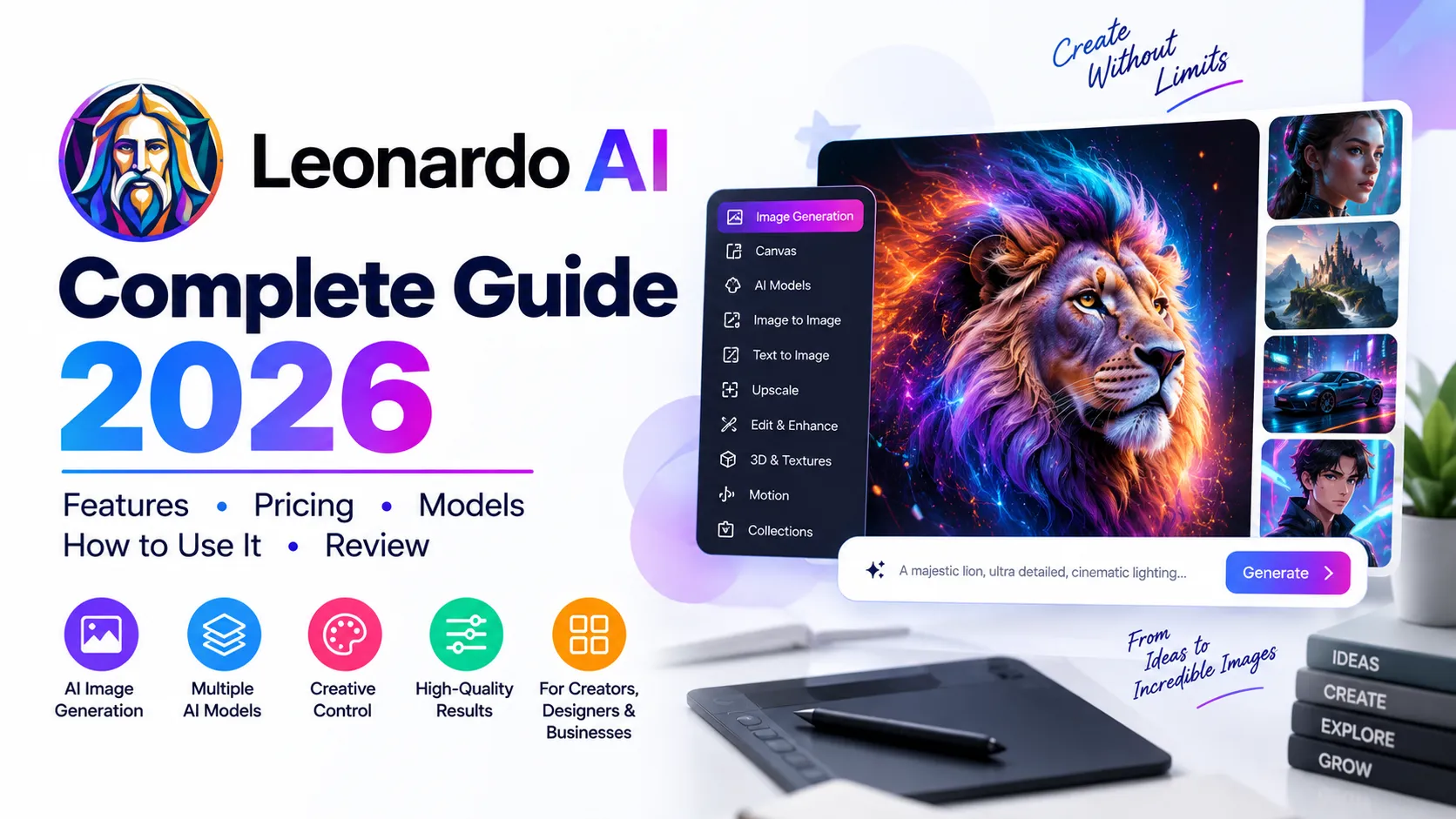
Leonardo AI is a generative AI creative platform designed to help users create, edit, refine and animate visual content. What began primarily as an AI image-generation platform has evolved into a broader creative production environment covering images, video, editing, upscaling, custom models, real-time generation, 3D and API-based workflows.
One of Leonardo’s biggest strengths is choice. Instead of forcing users to work with a single generation model, Leonardo provides access to a growing collection of models and creative workflows from Leonardo and other model providers. This gives creators more control over visual style, quality, consistency, speed and production requirements.
For beginners, Leonardo AI can be used to generate images from prompts. For professional creators, it can become a more complete production workflow involving references, editing, custom models, image-to-video, video generation, upscaling and automation.
Official Leonardo AI: leonardo.ai
Quick verdict: Leonardo AI is one of the strongest choices for creators who want AI image and video generation combined with model choice, editing controls, consistency tools and a scalable creative workflow.
Quick Answer: What Is Leonardo AI?
Leonardo AI is a generative AI platform for creating and editing images, video and other creative assets. It combines text-to-image generation, image-to-image workflows, prompt-based editing, real-time generation, video generation, upscaling, custom model training and API access in one ecosystem.
- Best for: AI artists, designers, marketers, content creators, game artists, businesses and creative teams.
- Main strength: creative control combined with access to multiple AI models.
- Images: text-to-image, image-to-image, editing, references and real-time generation.
- Video: text-to-video and image-to-video workflows using multiple video models.
- Customization: users can train custom models and use reference-based workflows.
- Free plan: available with a daily token allowance.
- API: available for developers with usage-based pricing.
- Main limitation: model choice, token usage and advanced features can make the platform more complex than simpler AI image generators.
Table of Contents
- What Is Leonardo AI?
- How Does Leonardo AI Work?
- Leonardo AI Features
- Leonardo AI Models
- AI Image Generation
- AI Image Editing
- Realtime Canvas
- Realtime Generation
- Omni Editor
- Leonardo AI Video Generator
- Consistent Characters and Visual Identity
- Custom Models and Training
- Leonardo AI and 3D
- Leonardo AI and Audio
- Leonardo AI API
- Leonardo AI for Students
- Leonardo AI for Bloggers
- Leonardo AI for Digital Marketing
- Leonardo AI for Business
- Leonardo AI for Game Development
- Leonardo AI Pricing in 2026
- Is Leonardo AI Free?
- Leonardo AI vs Other AI Tools
- Pros and Cons
- How to Use Leonardo AI
- Best Leonardo AI Prompt Tips
- Can Leonardo AI Help With SEO?
- Leonardo AI, GEO and AEO
- Limitations and Responsible Use
- Leonardo AI and E-E-A-T
- Frequently Asked Questions
- Who Should Use Leonardo AI?
- Final Verdict
- Official Leonardo AI Sources
What Is Leonardo AI?
Leonardo AI is a creator-focused generative AI platform for producing and refining visual content. It supports workflows that begin with a text prompt, an existing image, a sketch, a reference or another creative input.
Unlike a basic text-to-image generator, Leonardo brings multiple stages of the creative process into the same environment. Users can generate an image, edit it, create variations, upscale it, maintain visual consistency and animate it into video.
Leonardo also provides access to multiple generative models. This is important because different models can be better suited to different requirements such as photorealism, typography, character consistency, cinematic imagery, editing or video.
Leonardo’s current platform describes itself as a broader creative production system rather than only an AI art generator.
How Does Leonardo AI Work?
A typical Leonardo AI workflow looks like this:
- Define the objective: decide what you want to create.
- Write a prompt: describe the subject, environment, composition, style and desired result.
- Choose a model: use Auto or select a model suited to the task.
- Generate: create one or more variations.
- Compare: evaluate composition, detail, consistency and prompt adherence.
- Edit: use Leonardo’s editing and refinement tools.
- Upscale: improve resolution when necessary.
- Animate: convert suitable images into video.
- Export: download the final creative asset.
The important difference is that Leonardo supports an iterative workflow. You do not necessarily need to regenerate everything when one part of an image is wrong.
Leonardo AI Features
| Feature | What It Helps You Do |
|---|---|
| AI Image Generation | Create images from text prompts. |
| Image-to-Image | Transform existing images into new creative directions. |
| Realtime Canvas | Generate and refine visual output interactively while sketching or prompting. |
| Realtime Generation | Explore visual ideas quickly with real-time generation workflows. |
| Omni Editor | Edit, expand and refine artwork directly. |
| AI Video | Create motion and video from text or images. |
| Image-to-Video | Animate still images using supported video models. |
| Custom Models | Train models around specific styles, subjects or creative requirements. |
| Elements and References | Improve consistency across generated content. |
| Upscaling | Increase image quality and resolution. |
| 3D Generation | Create 3D assets through supported models and workflows. |
| Audio | Generate or work with audio through supported models. |
| API | Integrate image and video generation into applications and production workflows. |
Leonardo AI Models: Why Model Choice Matters
One of Leonardo’s strongest features is its model ecosystem. Rather than relying on one proprietary model for every task, Leonardo provides access to multiple generative models.
Its current model catalogue includes Leonardo models as well as models from other providers. Depending on the current platform lineup, users can access models for image generation, image editing, video generation, reference-based creation and other specialized workflows.
| Model/workflow type | Best suited to |
|---|---|
| Leonardo image models | General creative generation and Leonardo-specific workflows. |
| Photorealistic models | Products, people, environments and cinematic imagery. |
| Typography-focused models | Designs where readable text and layout matter. |
| Reference-based models | Maintaining subject, character or visual consistency. |
| Video models | Text-to-video and image-to-video production. |
| Editing models | Changing or extending existing images. |
Best practice: do not automatically choose the most expensive or newest model. Choose the model based on the creative problem you are solving.
Leonardo AI Image Generation
Leonardo AI’s core capability remains image generation. You can describe a scene using natural language and generate visual results across many styles.
- Photorealistic images
- Character concepts
- Product visuals
- Concept art
- Illustrations
- Fantasy artwork
- Architecture
- Fashion concepts
- Marketing visuals
- Social media graphics
- Storyboards
- Game assets
The best results usually come from describing the subject, environment, composition, lighting, camera perspective, visual style and intended mood instead of writing only a short keyword phrase.
Leonardo AI Image Editing
Leonardo is not limited to generating new images. Its editing workflows allow creators to modify existing artwork and continue developing an image rather than starting over.
- Inpainting
- Outpainting
- Image expansion
- Object replacement
- Background changes
- Prompt-based editing
- Image variations
- Reference-based edits
- Upscaling
This editing-first approach is particularly valuable when an image is already close to the desired result and only a specific area needs to change.
Leonardo Realtime Canvas
Realtime Canvas is designed for interactive visual exploration. Instead of waiting for a conventional generation cycle after every prompt, creators can sketch or provide visual input and see the generated result evolve in real time.
This can be especially useful for:
- Concept exploration
- Composition experiments
- Character blocking
- Creative brainstorming
- Visual ideation
- Rapid design iteration
Leonardo’s documentation also provides API workflows for recreating Realtime Canvas functionality, including real-time generation, inpainting and refinement.
Leonardo Realtime Generation
Realtime Generation is useful when speed of visual exploration matters more than producing the final polished asset immediately.
A practical workflow is:
- Start with a rough idea.
- Sketch or enter a prompt.
- Observe the generated visual response.
- Adjust the prompt or visual input.
- Explore multiple directions.
- Move the strongest concept into a higher-quality generation or editing workflow.
Leonardo Omni Editor
Omni Editor is designed to let users edit, expand and refine artwork directly. This is important because AI image generation often produces an image that is conceptually correct but still needs targeted corrections.
Instead of repeatedly generating completely new images, creators can use editing workflows to preserve useful parts of the original composition while changing the elements that need improvement.
Leonardo AI Video Generator
Leonardo has expanded from static image generation into AI video. Its current video workflow supports both text-to-video and image-to-video approaches, depending on the model.
Leonardo’s current video ecosystem includes multiple models, allowing creators to select different capabilities for motion, quality, consistency and audio depending on availability.
- Text-to-video
- Image-to-video
- Animate still images
- Motion control
- Start-frame workflows
- Start-and-end-frame workflows where supported
- Short creative sequences
- Social media video
- Product animation
- Storyboarding
A strong image-to-video workflow starts with a well-controlled still image. The more clearly the starting composition defines the subject and environment, the less the video model has to invent before applying motion.
Consistent Characters and Visual Identity
Consistency is one of the hardest problems in generative visual content. Leonardo addresses this with reference-based workflows, Elements, character references and custom model capabilities.
These tools can help creators maintain a recognizable character, product, subject or visual style across multiple generations.
- Character consistency
- Product consistency
- Brand visual consistency
- Repeated environments
- Storytelling across multiple images
- Campaign asset variations
However, consistency is not guaranteed. Important commercial assets should still be reviewed carefully for changes in facial features, product details, typography, proportions and other visual characteristics.
Leonardo AI Custom Models and Training
Leonardo supports custom model training for users who need generation behavior tailored to a specific style, subject or asset category.
This can be valuable for creators and businesses that repeatedly generate related visual assets and want more consistency than a general-purpose model can provide.
- Custom art styles
- Brand-specific visuals
- Character styles
- Product imagery
- Game assets
- Repeated creative campaigns
Training a custom model requires appropriate source material and careful consideration of ownership, permissions and the rights associated with the training data.
Leonardo AI and 3D Generation
Leonardo has also expanded into 3D workflows. Its current platform includes access to 3D generation models such as Rodin V2, allowing users to explore 3D asset creation within the broader Leonardo ecosystem.
- Game-development assets
- Concept visualization
- 3D objects
- Product concepts
- Creative experimentation
- Rapid prototyping
For professional 3D production, users should still evaluate topology, geometry, textures, rigging requirements and compatibility with their target production software.
Leonardo AI and Audio
Leonardo’s platform has expanded beyond images and video to include supported audio and music-generation models. This makes the platform increasingly relevant for creators working on multimedia projects rather than isolated images.
Availability of specific audio models can change as Leonardo updates its model catalogue, so verify the current model list before planning a production workflow around a specific audio model.
Leonardo AI API
Leonardo provides a developer API for integrating image and video generation into applications and production systems.
The API can support workflows such as:
- Text-to-image generation
- Image-to-image generation
- Image editing
- Image-to-video workflows
- Custom model generation
- Automated creative production
- Product personalization
- Marketing asset generation
- Application-integrated visual generation
Leonardo’s current API pricing uses a Pay-As-You-Go model for self-serve API usage, with custom plans available for higher-volume requirements, concurrency and dedicated support.
Leonardo states that API input images are private, are not used for training, and that API-generated outputs are not used for training. It also states that users retain ownership of their inputs and that Leonardo assigns rights in outputs to users subject to its Terms of Service.
Leonardo AI for Students
Students can use Leonardo AI to create visual material for educational and creative projects.
- Presentation illustrations
- Project visuals
- Infographics
- Concept art
- Storyboards
- Creative writing illustrations
- Educational diagrams
- Portfolio projects
- Game-development concepts
A responsible academic workflow is:
Research → Understand → Create → Verify → Personalize → Submit
Students should follow their institution’s AI and academic-integrity policies and should not present AI-generated work as independently created work when disclosure is required.
Leonardo AI for Bloggers
Leonardo can be particularly useful for bloggers who need original visual assets rather than relying entirely on generic stock photography.
- Featured blog images
- Article illustrations
- Infographic concepts
- Social media graphics
- Visual explainers
- Quote graphics
- Content upgrade visuals
- Storytelling images
A strong blogging workflow is to research and write the article first, identify concepts that genuinely benefit from visual explanation, and then use Leonardo to create supporting assets.
Leonardo AI for Digital Marketing
Marketers can use Leonardo to accelerate the visual-production side of campaigns.
- Advertising concepts
- Social media campaigns
- Product visuals
- Campaign backgrounds
- Creative variations
- Video advertisements
- Marketing illustrations
- Concept boards
- Landing-page visuals
- Brand storytelling
The biggest productivity benefit comes when Leonardo is used as part of a repeatable production system rather than simply generating one-off images.
Leonardo AI for Business
Businesses can use Leonardo for marketing, product visualization, creative experimentation, advertising, presentations, social content and other visual communication tasks.
For larger organizations, Leonardo’s team features, shared resources, permissions, custom workflows and API capabilities can become more important than the basic image generator.
Leonardo AI for Game Development
Leonardo can support several stages of game-development concept production.
- Character concepts
- Environment concepts
- Props
- Textures
- Concept art
- Storyboards
- UI concepts
- 3D asset exploration
- Marketing artwork
AI-generated assets should still be checked for consistency, technical requirements, licensing, originality and compatibility with the target game engine or production pipeline.
Leonardo AI Pricing in 2026
Leonardo AI offers a free plan and several paid creator plans. The exact price you see can depend on billing frequency, region, taxes and promotional offers.
| Plan | Annual-billing reference | Key highlights |
|---|---|---|
| Free | $0 | 150 fast tokens refreshed daily; suitable for trying the platform. |
| Essential | $10/month | 8,500 monthly fast tokens, enhanced quality controls, private generations and custom-model capabilities. |
| Premium | $24/month | 25,000 monthly fast tokens plus unlimited relaxed image generation on selected models and additional advanced features. |
| Ultimate | $48/month | 60,000 monthly fast tokens plus unlimited relaxed image and video generation on selected models. |
| Teams | From $72/month for 3 seats | Shared token pool, collaborative workspace, permissions and team-oriented controls. |
| Enterprise | Custom | Custom requirements, scale and organizational support. |
Pricing note: The figures above are a September 2026 snapshot based on Leonardo’s current published information. Leonardo can change pricing, allowances and included features, so check the live pricing page before purchasing.
Is Leonardo AI Free?
Yes, Leonardo AI has a free plan. The current free offering provides a daily fast-token allowance, allowing users to explore the platform without an ongoing subscription.
The free plan is useful for learning the interface, testing prompts and understanding how quickly your typical workflows consume tokens.
However, heavy users will likely benefit from a paid plan because paid tiers provide larger token allowances, faster generation and additional features.
Leonardo AI vs Midjourney vs ChatGPT vs Gemini vs Adobe Firefly
| Tool | Strongest area | Best for |
|---|---|---|
| Leonardo AI | Controlled image/video creation and model choice | Creators, marketers, designers and production teams |
| Midjourney | Artistic image generation | Artists and creators focused on visual aesthetics |
| ChatGPT | General AI assistance | Writing, reasoning, coding, research and broad workflows |
| Gemini | Multimodal AI and Google ecosystem | Users working heavily with Google services |
| Adobe Firefly | Generative creative workflows inside Adobe | Creative professionals already using Adobe tools |
Leonardo’s strongest differentiator is creative control plus model choice. It is particularly attractive when users want to move beyond simple text-to-image generation into editing, consistency, video, custom models and production workflows.
Leonardo AI Pros and Cons
Pros
- Free plan available.
- Large selection of generative models.
- Strong image-generation capabilities.
- Image editing and refinement tools.
- Realtime Canvas and Realtime Generation.
- AI video generation.
- Image-to-video workflows.
- Custom model training.
- Reference and consistency workflows.
- 3D and audio capabilities.
- Developer API.
- Team and enterprise capabilities.
Cons
- The large number of models can be confusing for beginners.
- Token usage varies significantly by model and task.
- Advanced features can require a paid plan.
- Video generation can consume resources quickly.
- AI output still requires human review.
- Consistency is improved by reference tools but is not guaranteed.
- Model availability can change over time.
- Professional workflows still require traditional creative skills.
How to Use Leonardo AI: Step-by-Step
Step 1: Create or Log In to Your Leonardo Account
Open Leonardo AI and create an account or log in.
Step 2: Choose the Type of Creation
Depending on your objective, choose image generation, video, editing, Realtime Canvas, Realtime Generation or another available workflow.
Step 3: Write a Detailed Prompt
Describe the subject, setting, composition, lighting, camera perspective, style, mood and important visual constraints.
Step 4: Select a Model
Start with Auto if you are unsure. As you gain experience, choose a specific model based on the visual result you need.
Step 5: Generate Multiple Variations
Do not judge an entire model from a single generation. Compare several outputs and identify which prompt and model combination gives the most reliable result.
Step 6: Edit and Refine
Use editing tools, references, inpainting, outpainting or other available workflows to correct problems instead of automatically starting from scratch.
Step 7: Upscale and Export
Once the creative result is approved, upscale when necessary and export the final asset for its intended use.
Best Leonardo AI Prompt Tips
A strong Leonardo AI prompt should communicate the intended visual result clearly. Instead of writing only “a beautiful woman”, describe the important attributes that should remain consistent.
| Prompt element | Example |
|---|---|
| Subject | A professional Indian software developer |
| Environment | Modern technology office with large windows |
| Composition | Medium shot, subject positioned on the right |
| Lighting | Soft cinematic natural lighting |
| Camera | 50mm lens, shallow depth of field |
| Style | Premium editorial technology photography |
| Mood | Confident, modern and professional |
| Output goal | LinkedIn article hero image |
| Constraints | Clean composition with negative space for headline placement |
Prompt formula: Subject + Environment + Composition + Lighting + Camera + Style + Mood + Purpose + Constraints
Leonardo AI Prompt Example
Create a premium editorial technology photograph of a young software developer working at a modern desk with multiple monitors, subtle AI interface elements visible on the screens, contemporary office interior, realistic skin texture, natural facial proportions, cinematic soft lighting, 50mm lens, shallow depth of field, sophisticated neutral colour palette, clean composition, professional technology magazine aesthetic, subject positioned on the right with generous negative space on the left for a headline, photorealistic, high detail.
Can Leonardo AI Help With SEO?
Leonardo AI is not an SEO platform. It does not replace keyword research, technical SEO, search analytics, content audits or link analysis.
However, it can support the visual content layer of an SEO strategy.
- Create original featured images.
- Create explanatory diagrams.
- Design supporting infographics.
- Create visual comparisons.
- Create social media assets.
- Create visual content upgrades.
- Turn complex concepts into visual explanations.
AI-generated visuals do not automatically improve rankings. Their value comes from making content more useful, understandable, distinctive and engaging while maintaining strong technical SEO and editorial quality.
SEO Best Practices for Leonardo AI Images
- Use descriptive image filenames.
- Write accurate and useful alt text.
- Compress images appropriately.
- Use the correct dimensions for the page.
- Do not keyword-stuff filenames or alt text.
- Make sure important information is also available as HTML text.
- Use original visuals where they genuinely improve the article.
Leonardo AI, GEO and AEO
GEO, or Generative Engine Optimization, focuses on making information useful and understandable to AI-powered answer systems. AEO, or Answer Engine Optimization, emphasizes direct answers to questions and clear information architecture.
Leonardo AI itself is not a GEO or AEO platform. Its contribution is primarily visual: it can help publishers create original diagrams, illustrations and visual explanations that strengthen a broader information strategy.
How Leonardo AI Can Support GEO
- Create original visual explanations.
- Convert complex concepts into diagrams.
- Create comparison graphics.
- Build visual summaries of research.
- Create supporting educational assets.
- Repurpose information into multiple visual formats.
What Matters More Than AI Images for AEO
- Answer important questions directly.
- Use descriptive headings.
- Define important entities and terminology.
- Use trustworthy primary sources.
- Separate facts from opinions.
- Explain limitations and uncertainty.
- Demonstrate real expertise or testing when making review claims.
- Keep the important information available as crawlable HTML text.
The goal is not to manipulate AI systems into citing a page. The goal is to create information that is accurate, useful, structured, specific and easy to verify.
Leonardo AI Limitations and Responsible Use
- Accuracy: generated images can contain visual errors or inconsistencies.
- Text rendering: readable typography can still vary by model and generation.
- Consistency: reference tools improve consistency but cannot guarantee perfection.
- Token usage: complex generations can consume resources quickly.
- Model changes: Leonardo’s model catalogue evolves frequently.
- Commercial rights: users should understand the current Terms of Service and applicable rights before commercial deployment.
- Originality: AI output should be reviewed for differentiation and suitability.
- Human judgment: professional creative decisions should not be delegated blindly.
Leonardo’s Terms of Service also contain specific provisions concerning AI-generated content, subscriptions, disclaimers and user responsibilities. Review the current terms for high-value or commercial projects.
A Better Leonardo AI Creative Workflow
- Research: understand the subject and audience.
- Define: decide exactly what the visual needs to accomplish.
- Prompt: describe the desired result clearly.
- Select: choose the most appropriate model.
- Generate: create multiple candidate outputs.
- Compare: evaluate consistency, quality and usefulness.
- Edit: correct problems instead of repeatedly starting over.
- Upscale: increase quality when required.
- Animate: create video when motion adds value.
- Review: perform human quality and rights checks.
- Publish: use the final asset in the intended workflow.
Leonardo AI and E-E-A-T
AI-generated content does not automatically demonstrate Experience, Expertise, Authoritativeness or Trust. A high-quality Leonardo AI review should explain how the evaluation was performed and distinguish official product claims from independent observations.
If SoftwareRider publishes hands-on Leonardo AI testing, the strongest evidence would include screenshots, prompts used, generation results, token consumption, practical strengths, weaknesses and comparisons with competing tools.
Do not claim that a feature was personally tested unless it was actually tested. If information comes from Leonardo’s documentation, clearly present it as information from the official source.
Recommended Editorial Methodology
- Prioritize Leonardo’s official documentation and product pages.
- Verify pricing before publication.
- Separate current features from retired or deprecated features.
- Distinguish product announcements from generally available functionality.
- Record the date of important product observations.
- Use current screenshots if available.
- Disclose affiliate relationships where applicable.
- Update the article when major model, pricing or feature changes occur.
Frequently Asked Questions About Leonardo AI
What is Leonardo AI?
Leonardo AI is a generative AI creative platform for creating and editing images, video and other visual assets. It combines multiple models with generation, editing, consistency, upscaling and automation tools.
Is Leonardo AI free?
Yes. Leonardo has a Free plan with a daily fast-token allowance. Paid plans provide larger allowances and additional features.
How much does Leonardo AI cost?
Leonardo’s current creator plans include Free, Essential at $10/month billed annually, Premium at $24/month billed annually and Ultimate at $48/month billed annually. Monthly billing is higher. Team plans start at $72/month for three seats on the displayed team pricing.
Does Leonardo AI generate video?
Yes. Leonardo provides text-to-video and image-to-video workflows through multiple supported video models.
Can Leonardo AI edit images?
Yes. Leonardo provides prompt-based editing and other workflows such as inpainting, outpainting, image expansion and refinement.
What is Leonardo Realtime Canvas?
Realtime Canvas is an interactive workflow that allows users to sketch or prompt while seeing generated visual output evolve in real time.
What is Leonardo Omni Editor?
Omni Editor is a Leonardo editing workflow designed to let users edit, expand and refine artwork directly.
Can Leonardo AI train custom models?
Yes. Leonardo provides custom model training capabilities for supported plans and workflows.
Does Leonardo AI have an API?
Yes. Leonardo provides a developer API for image, video and related generation workflows. Its current self-serve API model uses Pay-As-You-Go pricing.
Can Leonardo AI be used commercially?
Leonardo states that its platform and API support commercial use subject to its Terms of Service. Users should review the current terms and any applicable rights before using generated content in important commercial work.
Is Leonardo AI good for beginners?
Yes. Beginners can start with guided generation workflows and gradually learn model selection, prompting, references and editing. The number of available models can feel overwhelming at first.
Is Leonardo AI better than Midjourney?
Neither is universally better. Leonardo is particularly strong for users who want model choice, editing, references, custom models, video, API access and production controls. Midjourney can be attractive to users primarily focused on its distinctive artistic image-generation experience.
Can Leonardo AI help with SEO?
Leonardo can support the visual side of SEO content through original images, diagrams and infographics, but it does not replace keyword research, technical SEO, analytics or content strategy.
Can Leonardo AI help with GEO?
It can support a GEO-oriented content strategy by producing useful visual explanations and supporting assets. However, GEO visibility depends primarily on the quality, structure, accuracy and authority of the underlying information.
Is Leonardo AI good for students?
Yes. It can help students create presentation visuals, illustrations, diagrams, concept art and other educational assets. Students should follow their institution’s AI-use policies.
Can Leonardo AI create 3D assets?
Yes. Leonardo’s current model ecosystem includes 3D generation capabilities such as Rodin V2.
Can Leonardo AI create consistent characters?
Leonardo provides character and reference-based workflows designed to improve consistency across generations. However, users should still review outputs because AI consistency is not guaranteed.
Which Leonardo AI plan should I buy?
Start with Free if you are learning or generating occasionally. Essential is more suitable for regular individual use, while Premium and Ultimate make more sense for heavier production workloads that benefit from larger token allowances and selected relaxed-generation capabilities. Teams should evaluate the dedicated Team plans.
Who Should Use Leonardo AI?
- AI artists: explore styles and visual concepts.
- Graphic designers: accelerate ideation and asset creation.
- Marketers: create campaign visuals and variations.
- Bloggers: produce original article imagery.
- Social media creators: generate visual content and short videos.
- Game developers: create concepts, assets and visual references.
- Businesses: scale visual production.
- Developers: integrate generation into applications through the API.
- Creative teams: collaborate on repeatable production workflows.
Who May Not Need Leonardo AI?
Leonardo may be more than you need if you only want an extremely simple image generator and do not need model choice, editing, references, video, custom models or production workflows.
It may also not replace specialized software for advanced 3D production, professional compositing, advanced animation, deep SEO analytics or full-scale video editing.
Final Verdict: Is Leonardo AI Worth Using in 2026?
Yes—Leonardo AI is one of the strongest all-around generative AI platforms for creators who want more control than a basic text-to-image generator provides.
Its biggest advantage is the combination of multiple models + image generation + editing + references + consistency + video + upscaling + custom models + 3D + API access inside one broader creative ecosystem.
For beginners, Leonardo provides a relatively accessible way to explore generative visual creation. For professionals, the deeper value comes from controlling the production process and moving from a single generated image toward repeatable creative workflows.
The platform is especially compelling if your work requires visual consistency, multiple models, image-to-video workflows, custom creative styles or scalable content production.
However, Leonardo should not be viewed as a replacement for professional creative judgment. The best results come from combining AI generation with human art direction, editing, quality control, fact checking and rights awareness.
The best way to use Leonardo AI is not to ask AI to create everything for you. Use it as a creative production system that gives you more options, faster iteration and greater control.
Final SEO, GEO, AEO and Editorial Checklist
- Primary search intent is satisfied near the beginning.
- Primary keyword appears naturally in the title, introduction and relevant sections.
- Leonardo AI entities and related terminology are covered comprehensively.
- Important questions receive direct answers.
- TOC links use matching heading IDs.
- H2 and H3 hierarchy is logical.
- Keyword stuffing has been avoided.
- Pricing is presented as a dated 2026 snapshot.
- Free-plan limitations are explained.
- API pricing is distinguished from consumer subscription pricing.
- Official Leonardo sources are used for product claims.
- Announced, current and changing capabilities are not presented as permanent guarantees.
- No fake first-hand testing claims are included.
- Commercial-use considerations are explained.
- FAQ questions reflect genuine search intent.
- SEO image recommendations are included.
- GEO/AEO guidance focuses on usefulness rather than manipulation.
- Human editorial review is required before publication.
- The article uses valid WordPress Gutenberg block markup.
Official Leonardo AI Sources
- Leonardo AI Official Website
- Leonardo AI App
- Leonardo AI Models
- Leonardo AI Art Generator
- Leonardo AI Video Generator
- Leonardo AI API
- Leonardo Pricing and Plans FAQ
- Leonardo Team Plans
- Leonardo Terms of Service
- Leonardo API Deprecations and Changes
Last reviewed: September 2026. Leonardo AI frequently updates its models, features, pricing and availability. Verify the live official documentation before making purchasing or production decisions.
SoftwareRider internal link: Read the Leonardo AI guide on SoftwareRider.