
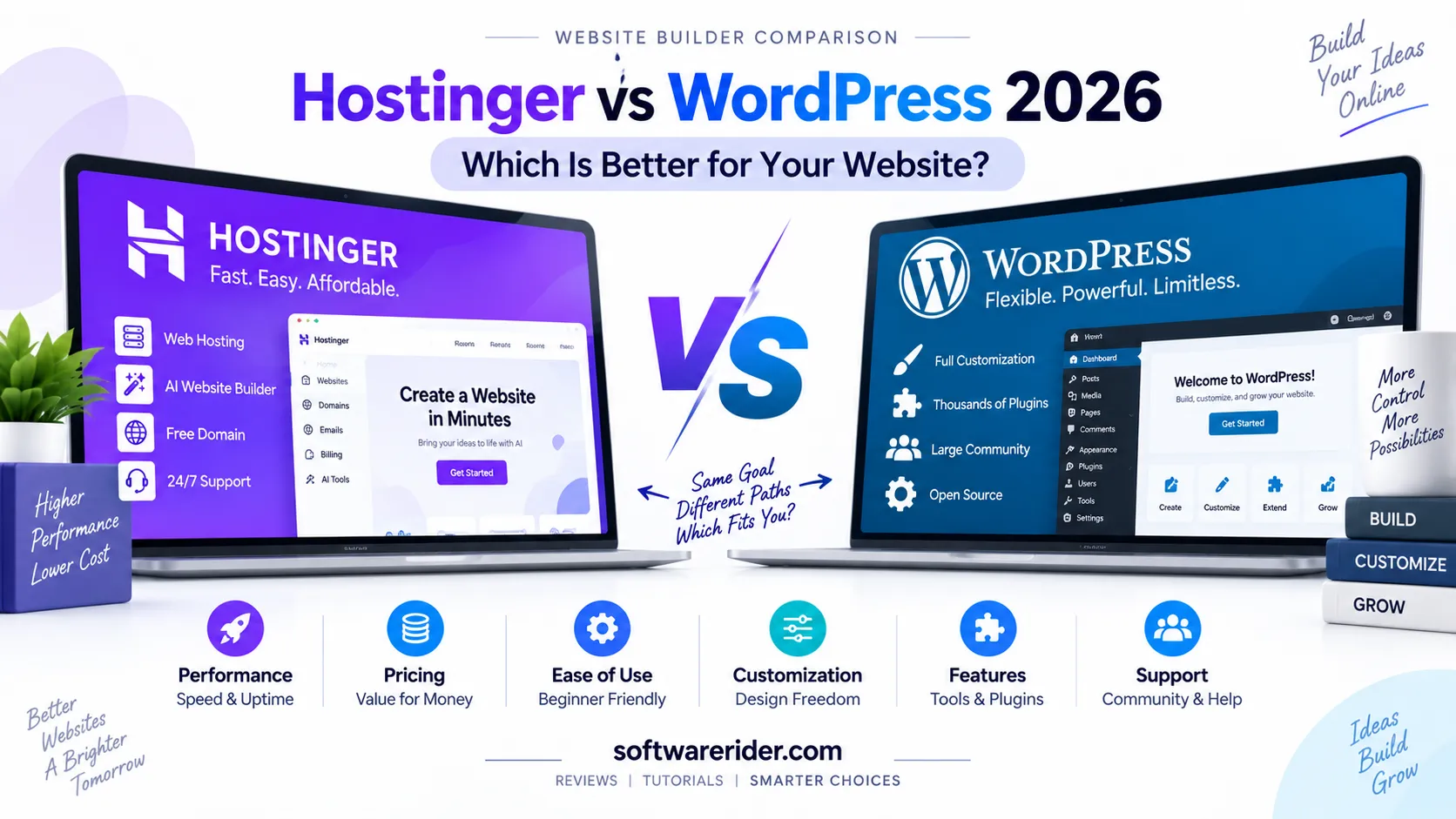
Hostinger vs WordPress is not a simple comparison because they solve slightly different problems. Hostinger Website Builder is an all-in-one website creation platform designed to help you build and publish a website without dealing with the technical complexity of a traditional content management system. WordPress, on the other hand, is an open-source content management system that gives you much greater control over themes, plugins, content, code, hosting, and customization.
So which one should you choose in 2026? For beginners who want to launch quickly with AI-assisted design and built-in hosting, Hostinger Website Builder is usually easier. For bloggers, publishers, businesses, developers, agencies, and website owners who want maximum flexibility and long-term control, WordPress is generally the stronger choice.
Quick answer: Choose Hostinger Website Builder if you want simplicity, AI-assisted website creation, hosting, domain, and website management in one place. Choose WordPress if you want deeper customization, thousands of plugins and themes, advanced SEO options, extensive integrations, and greater control over your website.
Table of Contents
- Hostinger vs WordPress: Quick Comparison
- What Is Hostinger Website Builder?
- What Is WordPress?
- The Biggest Difference Between Hostinger and WordPress
- Ease of Use
- AI Website Building
- Design and Customization
- Themes and Templates
- Plugins and Integrations
- SEO Comparison
- Blogging and Content Publishing
- Performance and Speed
- Security
- Ecommerce
- Pricing and Long-Term Cost
- Which Is Better for Beginners?
- Which Is Better for Bloggers?
- Which Is Better for Small Businesses?
- Which Is Better for Developers?
- Which Is Better for Digital Marketers?
- Which Is Better for Affiliate Websites?
- Pros and Cons
- Can You Move from Hostinger Website Builder to WordPress?
- Hostinger or WordPress: Which Should You Choose?
- Frequently Asked Questions
- Final Verdict
Hostinger vs WordPress: Quick Comparison
The fastest way to understand the difference is to compare the two platforms across the features that matter most when creating and growing a website.
| Feature | Hostinger Website Builder | WordPress |
|---|---|---|
| Ease of use | Excellent | Good |
| AI website creation | Built in | Available through tools and plugins |
| Hosting | Built in | Requires a hosting provider for self-hosted WordPress |
| Domain setup | Integrated with hosting plans | Usually purchased separately or through a host |
| Customization | Good | Excellent |
| Themes | Built-in templates | Thousands of themes and custom themes |
| Plugins | Limited compared with WordPress | Thousands of plugins |
| SEO flexibility | Good | Excellent |
| Blogging | Good | Excellent |
| Ecommerce | Available | Extremely flexible |
| Developer control | Limited compared with WordPress | Excellent |
| Maintenance | Low | Requires more management |
| Beginner friendliness | Excellent | Good |
| Scalability | Good | Excellent |
| Best for | Fast website creation | Flexible long-term websites |
What Is Hostinger Website Builder?
Hostinger Website Builder is a hosted website-building platform that combines website creation, hosting, templates, AI tools, domain functionality, and website management in one ecosystem.
Instead of installing a content management system and configuring themes, plugins, hosting, security, and other components separately, users can describe their website idea and use Hostinger’s AI-assisted tools to generate a starting website. The platform also provides visual editing for changing text, images, layouts, and other design elements.
Hostinger’s current AI website-building workflow supports both visual editing and conversational AI-assisted creation. Its tools are aimed at projects such as blogs, portfolios, business websites, online stores, booking websites, memberships, and interactive web applications.
Who Is Hostinger Website Builder Best For?
- Beginners creating their first website
- Small businesses
- Freelancers
- Portfolio websites
- Simple blogs
- Landing pages
- Local businesses
- Creators who want to launch quickly
- Users who prefer an all-in-one platform
What Is WordPress?
WordPress is an open-source content management system used to create websites ranging from personal blogs and business websites to ecommerce stores, publishing platforms, membership sites, and complex web applications.
One of WordPress’s biggest advantages is extensibility. Its core functionality can be expanded with themes, plugins, custom code, APIs, custom post types, and integrations. This makes WordPress considerably more flexible than a typical closed website builder.
WordPress itself is software. With self-hosted WordPress, you normally choose a hosting provider, install WordPress, configure your theme and plugins, and manage the website environment.
Who Is WordPress Best For?
- Professional bloggers
- Online publishers
- Businesses
- Affiliate marketers
- SEO-focused websites
- Digital marketing websites
- Ecommerce businesses
- Agencies
- Developers
- Websites requiring custom functionality
The Biggest Difference Between Hostinger and WordPress
The most important distinction is that you are comparing an all-in-one website platform with an open-source content management system.
| Area | Hostinger Website Builder | WordPress |
|---|---|---|
| Platform model | Hosted website builder | Open-source CMS |
| Hosting | Included with the platform | Chosen separately for self-hosted WordPress |
| Control | Platform-controlled | Much greater user control |
| Plugins | Limited ecosystem | Large plugin ecosystem |
| Maintenance | Mostly handled by the platform | More responsibility for the website owner |
| Customization | Visual and platform-supported | Visual, plugin-based and code-level |
Hostinger vs WordPress: Ease of Use
If ease of use is your top priority, Hostinger Website Builder has an advantage.
A beginner can start with an AI-generated website or template, edit the content and design visually, configure the domain and publish without learning the underlying technical architecture of a CMS.
WordPress is also designed to be user-friendly, but its flexibility introduces more decisions. You may need to choose a theme, plugins, hosting configuration, caching system, SEO solution, security tools, backup system and other components.
| Task | Hostinger | WordPress |
|---|---|---|
| Initial setup | Very easy | Easy to moderate |
| Visual editing | Very easy | Easy |
| Plugin management | Minimal | Required depending on site |
| Technical maintenance | Low | Moderate |
| Learning curve | Low | Moderate to high for advanced use |
AI Website Building
AI is one of Hostinger’s strongest advantages for beginners. Its AI Website Builder can generate a website from a description and provide AI-assisted tools for content, images, SEO and other website tasks.
WordPress does not have one single AI builder that defines the entire platform. Instead, AI capabilities are available through different themes, plugins, hosting tools and third-party services.
| AI Capability | Hostinger | WordPress |
|---|---|---|
| AI website generation | Built in | Available through different tools |
| AI writing | Built-in tools | Available through plugins and external services |
| AI image generation | Available | Available through plugins/services |
| AI SEO assistance | Built-in tools | Large ecosystem of SEO tools |
| AI customization | Integrated experience | Depends on selected tools |
Design and Customization
Hostinger Website Builder gives you visual control over the website without requiring you to work directly with code. This is ideal when your goal is to create a professional website quickly.
WordPress goes much further when customization is the priority. You can use block themes, page builders, custom themes, plugins, CSS, JavaScript, PHP and other development techniques.
Therefore, Hostinger is usually better for controlled simplicity, while WordPress is better for maximum flexibility.
Themes and Templates
Hostinger provides a collection of professionally designed templates and AI-generated website layouts. The advantage is that the options are integrated into the platform and are relatively simple to customize.
WordPress has a much larger theme ecosystem. You can choose from free themes, premium themes, block themes, page-builder themes and completely custom themes.
| Design Requirement | Better Choice |
|---|---|
| Quick professional website | Hostinger |
| Large theme ecosystem | WordPress |
| Custom theme development | WordPress |
| Beginner-friendly editing | Hostinger |
| Advanced design control | WordPress |
Plugins and Integrations
This is one of the biggest reasons WordPress remains attractive for serious website owners.
WordPress has an extensive plugin ecosystem that can add SEO features, ecommerce, membership systems, forms, analytics, caching, security, learning management, forums, social integrations and many other capabilities.
Hostinger Website Builder provides integrated features and supported integrations, but it does not provide the same open-ended plugin ecosystem as WordPress.
Hostinger vs WordPress for SEO
Both platforms can be used to build search-friendly websites. The difference is mainly in how much control you have over the SEO system.
| SEO Factor | Hostinger Website Builder | WordPress |
|---|---|---|
| SEO basics | Supported | Supported |
| Meta titles/descriptions | Supported | Supported |
| XML sitemap | Supported | Supported |
| SEO plugins | Limited compared with WordPress | Extensive options |
| Schema customization | More limited | Highly extensible |
| Advanced technical SEO | More limited | Excellent flexibility |
| Custom redirects | Supported depending on platform features | Highly configurable |
| Content optimization ecosystem | Good | Excellent |
SEO winner: WordPress for advanced SEO control. Hostinger is still a strong option for beginners who want essential SEO tools without managing a large collection of plugins.
Hostinger vs WordPress for Blogging
Hostinger can be a good choice for simple blogs and content websites, particularly when ease of setup is more important than advanced publishing functionality.
WordPress has a major advantage for serious publishers because content management is one of its core strengths. Categories, tags, custom post types, editorial workflows, plugins, SEO tools and content integrations can all be expanded as a site grows.
If you plan to publish hundreds or thousands of articles over several years, WordPress is generally the safer long-term choice.
Performance and Website Speed
Website speed depends on much more than the platform. Hosting resources, images, scripts, themes, plugins, caching, CDN configuration, database queries and website architecture can all affect performance.
Hostinger handles much of the infrastructure for its Website Builder customers, which reduces the number of technical decisions beginners need to make.
WordPress can also be extremely fast, but performance optimization becomes the responsibility of the website owner and hosting provider. A carefully optimized WordPress website can perform very well, while a poorly configured installation can become slow.
Security: Hostinger vs WordPress
Hostinger’s managed website environment reduces the amount of security maintenance required from beginners.
With WordPress, security is shared across the hosting environment, WordPress core, themes, plugins, administrator accounts and website configuration. Regular updates, strong passwords, backups and security practices become important.
| Security Area | Hostinger Website Builder | WordPress |
|---|---|---|
| SSL | Integrated with hosting | Usually provided by the host |
| Core maintenance | Managed by platform | Website owner/host responsibility |
| Plugin security | Not a major issue | Important consideration |
| Backups | Plan dependent | Depends on hosting/setup |
| Security customization | More limited | Extensive |
Hostinger vs WordPress for Ecommerce
Both platforms can support ecommerce, but WordPress offers greater flexibility for complex stores.
Hostinger is attractive when you want to launch a relatively straightforward online store without assembling a large technical stack.
WordPress combined with an ecommerce platform such as WooCommerce can support much more complex product catalogs, payment systems, shipping rules, customer accounts, subscriptions, marketplaces and custom functionality.
| Ecommerce Requirement | Recommended Choice |
|---|---|
| Simple online store | Hostinger |
| Small product catalog | Hostinger or WordPress |
| Advanced ecommerce | WordPress |
| Custom checkout functionality | WordPress |
| Large plugin ecosystem | WordPress |
| Beginner-friendly setup | Hostinger |
Hostinger vs WordPress Pricing
Pricing requires careful comparison because WordPress software itself is open source, but a self-hosted WordPress website still requires hosting and potentially paid themes, plugins, development and other services.
Hostinger packages hosting and website-building functionality together, making the initial cost easier to understand. However, promotional prices and renewal prices can be different, so buyers should always check the current renewal price before purchasing.
| Cost Area | Hostinger Website Builder | WordPress |
|---|---|---|
| CMS/software | Included in platform | WordPress software is free |
| Hosting | Included | Required for self-hosted WordPress |
| Domain | May be included for eligible plans/periods | Usually separate or included by host |
| Premium themes | Depends on platform | Optional |
| Plugins | Limited platform ecosystem | Many free and paid options |
| Developer cost | Usually lower for simple sites | Can increase for advanced customization |
| Maintenance | Lower | Potentially higher |
Hostinger currently advertises its AI Website Builder in India from ₹149 per month on a 48-month promotional term, while the listed renewal price is higher. Its WordPress-focused hosting plans include features such as managed WordPress hosting, acceleration, object cache, staging and backups on eligible plans.
For this reason, do not compare only the first promotional price. Compare the total cost over three to five years, including renewals, premium plugins, themes, development and maintenance.
Which Is Better for Beginners?
Winner: Hostinger Website Builder.
If you have never built a website before and want to get online quickly, Hostinger’s all-in-one approach removes many technical decisions.
- AI-assisted website creation
- Visual editing
- Integrated hosting
- Domain options
- Built-in website tools
- Managed infrastructure
- Beginner-oriented workflow
Which Is Better for Bloggers?
Winner: WordPress.
For a small personal blog, either platform can work. For a serious publishing website with a large content library, WordPress offers substantially more flexibility.
Which Is Better for Small Businesses?
The answer depends on the business.
| Business Type | Recommended Platform |
|---|---|
| Local service business | Hostinger |
| Restaurant website | Hostinger or WordPress |
| Freelancer portfolio | Hostinger |
| Growing content business | WordPress |
| Large business website | WordPress |
| Complex membership website | WordPress |
| Simple company website | Hostinger |
Which Is Better for Developers?
Winner: WordPress.
Developers can work with WordPress themes, plugins, PHP, JavaScript, CSS, REST APIs, custom post types, databases and other components. WordPress is therefore much more suitable when a project requires custom functionality or a unique technical architecture.
Which Is Better for Digital Marketers?
For a marketer who needs a landing page or small campaign website quickly, Hostinger can be very convenient.
For a long-term content marketing operation, WordPress generally provides more flexibility because of its publishing system, SEO ecosystem, analytics integrations and large plugin marketplace.
Which Is Better for Affiliate Websites?
Recommended: WordPress.
Affiliate websites often depend on large content libraries, comparison tables, internal linking, structured data, SEO tools, custom content types, performance optimization and monetization integrations. WordPress provides more control over these areas.
Hostinger vs WordPress for SEO, AEO and GEO
Modern search visibility is no longer limited to traditional Google rankings. Website owners increasingly need content that is useful for search engines, answer engines and AI-powered discovery systems.
| Requirement | Hostinger | WordPress |
|---|---|---|
| SEO fundamentals | Good | Excellent |
| Content publishing | Good | Excellent |
| Internal linking control | Good | Excellent |
| Structured data flexibility | Moderate | Excellent |
| Advanced technical SEO | Moderate | Excellent |
| Large content architecture | Good | Excellent |
| Custom taxonomies | Limited | Excellent |
| AI/search integrations | Growing | Extensive ecosystem |
Neither platform automatically guarantees rankings in Google or visibility in AI search. Content quality, topical authority, technical performance, structured information, user experience, credibility and ongoing optimization remain important.
Hostinger Website Builder: Pros and Cons
Pros
- Very beginner-friendly
- AI-assisted website creation
- Hosting and website builder in one place
- Fast setup
- Visual editing
- Built-in AI tools
- Good choice for simple business websites
- Less technical maintenance
Cons
- Less flexible than WordPress
- Smaller extension ecosystem
- Less freedom for advanced customization
- Platform dependency
- Advanced publishing workflows can be more limited
- Promotional pricing may differ from renewal pricing
WordPress: Pros and Cons
Pros
- Open-source software
- Extremely flexible
- Large theme ecosystem
- Large plugin ecosystem
- Excellent for blogging and publishing
- Strong SEO customization potential
- Excellent developer control
- Suitable for complex websites
- Can scale into sophisticated business platforms
Cons
- More setup decisions
- More maintenance
- Plugins can introduce compatibility issues
- Security requires ongoing attention
- Advanced customization may require technical skills
- Total cost can increase with premium themes, plugins and development
Hostinger vs WordPress: Overall Scorecard
| Category | Winner | Why? |
|---|---|---|
| Ease of use | Hostinger | Less technical setup |
| AI website creation | Hostinger | AI builder is integrated |
| Customization | WordPress | Greater control |
| Plugins | WordPress | Large ecosystem |
| Blogging | WordPress | Powerful publishing ecosystem |
| Advanced SEO | WordPress | Greater extensibility |
| Beginner websites | Hostinger | Faster setup |
| Developer control | WordPress | Open-source and extensible |
| Simple business site | Hostinger | All-in-one workflow |
| Large content website | WordPress | Better publishing flexibility |
| Advanced ecommerce | WordPress | Greater ecosystem and customization |
| Low maintenance | Hostinger | More managed experience |
Can You Move from Hostinger Website Builder to WordPress?
Yes, but moving from a proprietary website builder to WordPress is not always a one-click migration.
Depending on the website, you may need to recreate the design, transfer content, configure URLs, migrate images, set up redirects, rebuild navigation and verify SEO settings.
If you expect your website to become a large publishing or business platform, it is worth considering WordPress before investing heavily in a proprietary builder.
Important: You Can Use Hostinger and WordPress Together
This is an important point that is often missed in Hostinger vs WordPress comparisons.
Hostinger and WordPress are not necessarily competitors. Hostinger can be the hosting provider while WordPress is the CMS running on that hosting.
This combination can give you WordPress’s flexibility together with Hostinger’s hosting infrastructure and managed WordPress features.
| Combination | Best For |
|---|---|
| Hostinger Website Builder | Beginners and fast website creation |
| Hostinger + WordPress | Flexible websites hosted on Hostinger |
| WordPress + another host | Users wanting WordPress with a different hosting provider |
Hostinger or WordPress: Which Should You Choose?
Use the following decision guide before choosing.
| Your Goal | Recommended Choice |
|---|---|
| I want my first website quickly | Hostinger Website Builder |
| I don’t know how to code | Hostinger Website Builder |
| I want an AI-generated website | Hostinger Website Builder |
| I want a professional blog | WordPress |
| I plan to publish hundreds of articles | WordPress |
| I need advanced SEO control | WordPress |
| I need thousands of plugins | WordPress |
| I need custom development | WordPress |
| I need a simple company website | Hostinger |
| I want an advanced ecommerce website | WordPress |
| I want minimal maintenance | Hostinger |
Frequently Asked Questions
Is Hostinger better than WordPress?
Not universally. Hostinger Website Builder is better for simplicity, AI-assisted website creation and low-maintenance websites. WordPress is better when flexibility, advanced SEO, publishing, plugins and customization are more important.
Is WordPress better than Hostinger?
WordPress is more flexible than Hostinger Website Builder, but that does not automatically make it better for every user. A beginner who wants to launch a simple website quickly may prefer Hostinger Website Builder.
Is Hostinger good for WordPress?
Yes. Hostinger offers hosting plans designed for WordPress, including managed WordPress features and performance-oriented tools on eligible plans.
Which is cheaper, Hostinger or WordPress?
WordPress software itself is free, but self-hosted WordPress requires hosting and may involve paid themes, plugins and maintenance. Hostinger Website Builder packages many services together, but promotional and renewal prices can differ. Compare the total cost rather than only the starting price.
Which is better for SEO, Hostinger or WordPress?
WordPress generally provides greater SEO flexibility because its plugin and development ecosystem allows extensive customization. Hostinger provides useful built-in SEO functionality and can be sufficient for many small websites.
Which is better for blogging?
WordPress is generally better for serious blogging and large publishing websites. Hostinger Website Builder is suitable for smaller blogs where simplicity and fast setup are the main priorities.
Can I use WordPress on Hostinger?
Yes. Hostinger provides WordPress hosting, so you can use Hostinger as your hosting provider while using WordPress as your content management system.
Does Hostinger use WordPress?
Hostinger supports both WordPress hosting and its own website-building solutions. WordPress and Hostinger Website Builder should therefore be treated as different products that can be used in different ways.
Which is better for a small business website?
Hostinger Website Builder is usually the easier option for a straightforward small business website. WordPress becomes more attractive when the business needs advanced content management, integrations, ecommerce, SEO customization or custom functionality.
Which is better for affiliate marketing?
WordPress is generally the stronger option for affiliate websites because it provides more control over content structure, internal linking, SEO, comparison tables, plugins and monetization integrations.
Final Verdict: Hostinger vs WordPress
Hostinger Website Builder wins for simplicity.
WordPress wins for flexibility.
If your priority is to build a website quickly without dealing with technical setup, Hostinger Website Builder is an excellent choice. Its AI-assisted creation, visual editing and integrated hosting make it particularly attractive to beginners, freelancers and small businesses.
If your goal is to build a serious content website, publishing business, affiliate website, ecommerce platform or highly customized business website, WordPress is usually the better long-term platform.
The most important point is that Hostinger and WordPress do not have to be alternatives. You can use Hostinger as your hosting provider and WordPress as your CMS. In that setup, you get the flexibility of WordPress while using Hostinger’s WordPress hosting environment.
Our recommendation: Choose Hostinger Website Builder for a fast, simple and AI-assisted website. Choose WordPress for maximum control, content publishing, SEO flexibility and long-term scalability.
Editorial Note
This comparison focuses on Hostinger Website Builder versus self-hosted WordPress. Hostinger also offers WordPress hosting, which is a different comparison: Hostinger WordPress Hosting vs other WordPress hosting providers.
Last reviewed: September 2026
Official Sources Used for This Comparison
- Hostinger AI Website Builder documentation and current plan information
- Hostinger WordPress and CMS hosting information
- WordPress.org official features and platform documentation
- WordPress.org official publishing platform information
Hostinger vs WordPress: One-Line Answer
Hostinger Website Builder is best for beginners who want to launch quickly; WordPress is best for users who want maximum control, advanced SEO, extensive plugins and long-term website flexibility.