
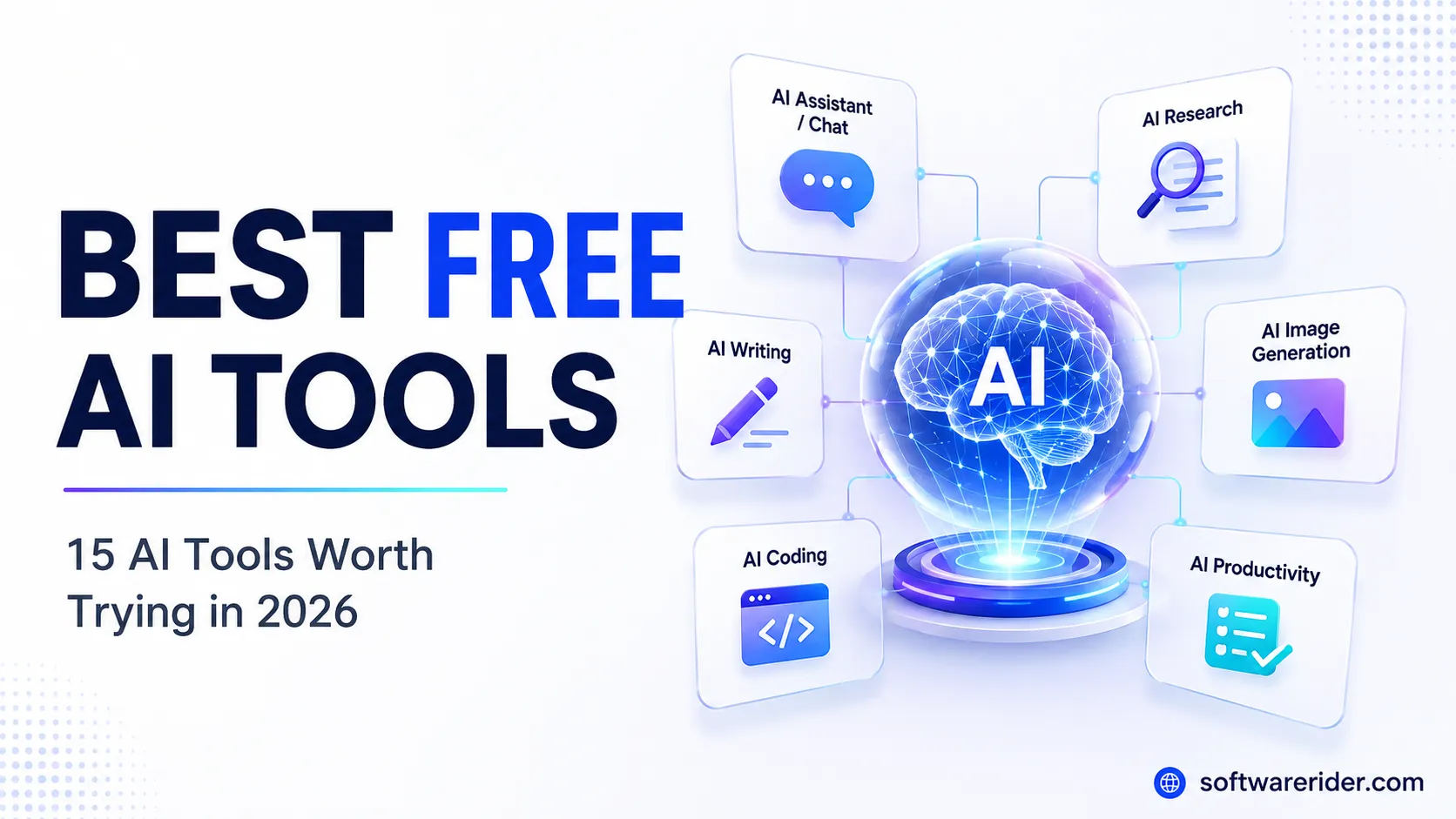
Looking for the best free AI tools in 2026? We’ve shortlisted 15 useful AI tools for writing, research, coding, design, productivity, presentations, video creation and more. Most offer a free tier, but features and usage limits vary.
Best Free AI Tools in 2026 — Quick Answer
The best free AI tools in 2026 include ChatGPT, Google Gemini, Claude, Perplexity, Microsoft Copilot, DeepSeek, Canva, NotebookLM, GitHub Copilot, Adobe Express, Gamma, Grammarly, CapCut, Notion and Hugging Face.
For most people, ChatGPT is the best all-purpose starting point. Perplexity is particularly useful for web research, NotebookLM for working with your own documents, Canva for visual content, and GitHub Copilot for coding.
However, there is an important distinction:
Free does not always mean unlimited.
Most major AI services use free tiers with limits on models, messages, generations, credits, file uploads or advanced features. These limits can change over time, so check the provider’s current plan before relying on a tool for important work.
Best Free AI Tools at a Glance
| Rank | AI Tool | Best For | Free Access |
|---|---|---|---|
| 1 | ChatGPT | Overall AI assistant | Yes |
| 2 | Google Gemini | Everyday AI & Google ecosystem | Yes |
| 3 | Claude | Writing & analysis | Yes |
| 4 | Perplexity | Research | Yes |
| 5 | Microsoft Copilot | Web & Microsoft users | Yes |
| 6 | DeepSeek | Reasoning & technical tasks | Yes |
| 7 | Canva | Design & visual content | Free tier |
| 8 | NotebookLM | Document research | Free access |
| 9 | GitHub Copilot | Coding | Free tier |
| 10 | Adobe Express | Creative content | Free tier |
| 11 | Gamma | Presentations | Free tier |
| 12 | Grammarly | Writing improvement | Free tier |
| 13 | CapCut | Video creation | Free tier |
| 14 | Notion | Productivity | Free tier |
| 15 | Hugging Face | Open-source AI | Free options |
Editor’s pick: ChatGPT
Best for research: Perplexity
Best for documents: NotebookLM
Best for design: Canva
Best for coding: GitHub Copilot
How We Selected These Free AI Tools
There are hundreds of AI tools available, so simply creating a long list isn’t particularly useful.
For this guide, we prioritize tools based on:
- Availability of a free plan or free access
- Practical usefulness
- Ease of use
- Feature quality
- Free-tier value
- Use cases for students and professionals
- Usefulness for creators and small businesses
- Workflow integration
- Overall accessibility
We also avoid treating a tool as “completely free” when it actually has significant paid-only features.
Our approach
Free access → Evaluate the workflow → Compare usefulness → Identify limitations → Recommend the best use case
A tool doesn’t need unlimited AI usage to be useful.
1. ChatGPT — Best Free AI Tool Overall
Best for: Writing, learning, brainstorming, research, coding, analysis and everyday tasks
If you want to start with only one AI tool, ChatGPT is one of the strongest choices.
OpenAI’s Free tier provides access to a range of AI capabilities, although usage limits apply.
What can ChatGPT do?
You can use it for:
- Writing and rewriting
- Brainstorming
- Learning
- Research
- Coding
- Data analysis
- Summarizing documents
- Creating images
- Planning projects
- Generating ideas
- Explaining complex topics
Why we recommend it
Its biggest advantage isn’t one specific feature.
It’s versatility.
A student can use it for learning.
A marketer can use it for content ideas.
A developer can use it for debugging.
A business owner can use it for planning.
Pros
- Excellent all-purpose AI assistant
- Wide range of capabilities
- Beginner-friendly
- Useful for professional and personal workflows
- Free tier available
Cons
- Free usage is limited
- Advanced features can have stricter limits
- AI-generated information should still be verified
Best for
Almost anyone who wants one general-purpose AI assistant.
2. Google Gemini — Best Free AI Tool for Google Users
Best for: Everyday AI tasks, brainstorming, research and Google ecosystem users
Google Gemini is Google’s general-purpose AI assistant and a natural option for people already using Google’s ecosystem.
Gemini’s usage limits depend on the models and features being used, and Google periodically changes those limits.
Useful for
- Brainstorming
- Writing
- Summarization
- Planning
- Learning
- Research
- Working with information
Why choose Gemini?
If your everyday workflow already revolves around Google products, Gemini can be a convenient AI companion.
Pros
- Strong general-purpose assistant
- Good choice for Google users
- Useful for research and brainstorming
- Free access available
Cons
- Usage limits vary
- Some advanced capabilities require paid access
- Features can change over time
Best for
Users who already live inside the Google ecosystem.
3. Claude — Best Free AI Tool for Writing
Best for: Writing, editing, analysis, brainstorming and coding
Claude is particularly useful when your main requirement is high-quality text generation and analysis.
Useful for
- Blog writing
- Editing
- Rewriting
- Summarization
- Brainstorming
- Coding
- Business communication
- Document analysis
Why choose Claude?
For writers and professionals, the quality and naturalness of the response can matter more than having dozens of features.
Pros
- Strong writing capabilities
- Useful for detailed analysis
- Good for long-form work
- Clean conversational experience
Cons
- Free usage is limited
- Advanced features may require a paid plan
Best for
Writers, marketers, researchers and professionals working heavily with text.
4. Perplexity — Best Free AI Tool for Research
Best for: Web research and source-backed answers
Perplexity is better understood as an AI-powered search and research platform rather than simply another chatbot.
It combines conversational answers with web research and sources.
Use Perplexity for
- Research
- Finding sources
- Product comparisons
- Market research
- Current information
- Exploring unfamiliar subjects
- Creating research briefs
Pros
- Excellent research workflow
- Source citations
- Fast information discovery
- Useful for current topics
Cons
- Advanced research can be limited on the free plan
- Sources should still be checked
- AI summaries can contain mistakes
Best for
Students, researchers, marketers and professionals who frequently need web-based information.
5. Microsoft Copilot — Best Free AI for Microsoft Users
Best for: General questions, web-based tasks and Microsoft users
Microsoft Copilot is Microsoft’s general-purpose AI assistant and an accessible option for users who work with Microsoft products.
Useful for
- General questions
- Brainstorming
- Writing
- Web-based tasks
- Productivity
- Everyday assistance
Pros
- Free access
- Easy to start
- Good Microsoft ecosystem fit
Cons
- Microsoft 365 features are different from free Copilot
- Advanced capabilities may require a subscription
Best for
Windows and Microsoft users who want an accessible AI assistant.
6. DeepSeek — Best Free AI for Technical Experimentation
Best for: Technical questions, reasoning, coding and AI experimentation
DeepSeek is an interesting option for users interested in alternative AI models and technical workflows.
Useful for
- Coding
- Technical questions
- Reasoning tasks
- Mathematics
- Experimentation
- AI research
Pros
- Accessible
- Useful for technical experimentation
- Interesting alternative to mainstream AI assistants
Cons
- Performance varies by task
- Important information should still be verified
- Features and access can change
Best for
Developers, technical users and AI enthusiasts.
7. Canva — Best Free AI Tool for Design
Best for: Social media graphics, presentations, marketing materials and visual content
Canva combines traditional graphic design with AI-powered creation.
You can use Canva for
- Social media posts
- Presentations
- Posters
- Infographics
- Marketing graphics
- Thumbnails
- Visual content
- AI-assisted design
Pros
- Extremely beginner-friendly
- Large design ecosystem
- Excellent for social media
- Useful for marketers and creators
Cons
- Some premium assets and features require payment
- AI usage can have plan-specific limitations
Best for
Creators, marketers, students and small businesses.
8. NotebookLM — Best Free AI Tool for Documents and Research
Best for: PDFs, research papers, notes, reports and source-based learning
NotebookLM is different from a typical chatbot because its strength is working with your selected sources.
Great for
- Study material
- Research papers
- Reports
- Company documents
- Meeting material
- PDFs
- Notes
- Source-based questions
Example workflow
Upload PDF → Ask questions → Generate summary → Identify key points → Study
Pros
- Excellent for document-based research
- Works around your supplied sources
- Useful for students and professionals
- Supports many source formats
Cons
- Usage limits apply
- Best results depend on the quality of your sources
Best for
Students, researchers and professionals working with documents.
9. GitHub Copilot — Best Free AI Tool for Coding
Best for: Developers, programming students and coding assistance
GitHub Copilot is one of the most useful AI tools for developers because it works inside supported development environments.
Use it for
- Code completion
- Debugging
- Code explanation
- Refactoring
- Generating code
- Learning programming
- Developer assistance
Pros
- Integrated into developer workflows
- Free plan available
- Supports popular IDEs
- Useful for learning
Cons
- Free usage is limited
- Heavy developers may need a paid plan
Best for
Developers and programming students.
10. Adobe Express — Best Free AI Tool for Quick Creative Work
Best for: Social media content, graphics, simple video and document creation
Adobe Express offers a free plan with basic editing tools, templates, assets and limited generative AI access.
Useful for
- Social media posts
- Posters
- Graphics
- Short videos
- Marketing content
- Quick edits
- PDFs
Pros
- Strong design ecosystem
- Good for beginners
- Free plan available
- Useful templates and assets
Cons
- Advanced features are paid
- AI credits/features vary by plan
Best for
Creators and marketers who want an alternative to Canva.
11. Gamma — Best Free AI Tool for Presentations
Best for: Presentations, documents, websites and visual storytelling
Gamma can turn an idea or outline into a structured presentation or document.
Useful for
- Business presentations
- Pitch decks
- Reports
- Educational presentations
- Simple websites
- Visual documents
Pros
- Very fast presentation creation
- Easy to use
- Multiple output formats
- Useful for non-designers
Cons
- Free credits can be limited
- Branding and advanced features may require payment
Best for
Professionals, students and entrepreneurs who need presentations quickly.
12. Grammarly — Best Free AI Tool for Writing Improvement
Best for: Grammar, spelling, clarity and everyday writing
Grammarly is useful when you already have the content but want to make it clearer and more polished.
Useful for
- Emails
- Blog posts
- Academic writing
- Business communication
- Social media
- Grammar correction
Pros
- Easy to use
- Excellent for proofreading
- Useful for everyday writing
Cons
- Advanced rewriting features are paid
- Free AI generation is limited
Best for
Students, professionals and content writers.
13. CapCut — Best Free AI Tool for Video Creation
Best for: Short-form videos, social media content and video editing
CapCut combines conventional video editing with AI-assisted features.
Useful for
- Reels
- Shorts
- Social media videos
- Captions
- Basic video editing
- Creator content
Pros
- Beginner-friendly
- Strong short-video workflow
- Useful AI-assisted features
Cons
- Some features are paid
- Availability can vary by region
Best for
Social media creators and marketers.
14. Notion — Best for AI-Assisted Productivity
Best for: Notes, project organization, documentation and productivity
Notion combines notes, databases, project management and documentation.
Use it for
- Notes
- Content calendars
- Project management
- Documentation
- Task organization
- Knowledge management
Pros
- Flexible workspace
- Excellent organization
- Useful for content teams
Cons
- AI features and limits depend on the plan
- Can take time to learn
Best for
Students, creators, freelancers and small teams.
15. Hugging Face — Best Free Platform for Exploring Open-Source AI
Best for: Developers, researchers and AI enthusiasts
Hugging Face is different from tools such as ChatGPT or Gemini.
Instead of being primarily a single AI assistant, it provides an ecosystem around machine-learning models, datasets and AI applications.
Useful for
- Exploring AI models
- Machine learning
- Open-source AI
- Research
- Developer experiments
- Model testing
Pros
- Huge AI ecosystem
- Excellent for experimentation
- Strong developer community
Cons
- Less beginner-friendly
- Requires more technical knowledge than consumer AI assistants
Best for
Developers, researchers and advanced AI users.
Best Free AI Tools by Use Case
Instead of asking:
“Which AI tool is the best?”
Ask:
“Which AI tool is best for what I want to accomplish?”
| Use Case | Best Choice |
|---|---|
| General AI | ChatGPT |
| Google ecosystem | Gemini |
| Writing | Claude |
| Research | Perplexity |
| Microsoft ecosystem | Copilot |
| Technical reasoning | DeepSeek |
| Graphic design | Canva |
| PDF/document research | NotebookLM |
| Coding | GitHub Copilot |
| Creative content | Adobe Express |
| Presentations | Gamma |
| Grammar | Grammarly |
| Video | CapCut |
| Productivity | Notion |
| Open-source AI | Hugging Face |
Best Free AI Tools for Students
Students don’t need dozens of AI subscriptions.
A practical student AI stack could be:
1. ChatGPT
For explanations, brainstorming and learning.
2. Gemini
For general research and Google-oriented workflows.
3. NotebookLM
For studying from PDFs, notes and course material.
4. Perplexity
For finding and exploring sources.
5. Grammarly
For improving writing.
Recommended workflow
Research → Understand → Take notes → Draft → Proofread
AI can accelerate the process, but students should still understand the material and verify important information.
Best Free AI Tools for Content Creators
For content creators, a simple stack can cover most workflows:
ChatGPT → Ideas & writing
Perplexity → Research
Canva → Graphics
CapCut → Video
Grammarly → Editing
Gamma → Presentations
This is often more useful than signing up for 20 different AI tools.
Best Free AI Tools for Small Businesses
Small businesses can use AI across multiple departments without immediately paying for expensive software.
Content
ChatGPT + Grammarly
Research
Perplexity
Design
Canva + Adobe Express
Presentations
Gamma
Productivity
Notion
Coding
GitHub Copilot
Documents
NotebookLM
The key is to build a workflow, not a collection of random AI subscriptions.
Are Free AI Tools Really Free?
Usually, yes—but with conditions.
Most modern AI products use a freemium model.
That means you can start without paying, but the provider may limit:
- Number of prompts
- Daily usage
- AI credits
- File uploads
- Image generations
- Advanced models
- Deep research
- Speed
- Premium features
- Storage
So the better question isn’t:
“Is this AI tool free?”
It is:
“Is the free tier useful enough for my needs?”
Free vs Paid AI Tools
| Feature | Free AI Tools | Paid AI Tools |
|---|---|---|
| Basic AI assistance | ✅ | ✅ |
| Writing | ✅ | ✅ |
| Brainstorming | ✅ | ✅ |
| Basic research | ✅ | ✅ |
| Advanced models | Limited | More access |
| Usage limits | Usually lower | Usually higher |
| File/image limits | Often restricted | Usually higher |
| Advanced features | Limited | More extensive |
| Priority access | Usually limited | Often available |
| Cost | ₹0 | Subscription |
When Should You Pay for an AI Tool?
You don’t need to pay just because a tool offers a premium plan.
Consider upgrading when:
You regularly hit limits
If you’re constantly waiting for your free allowance to reset, a paid plan may make sense.
AI is saving significant time
If an AI tool saves you several hours every week, its subscription may provide a reasonable return.
You need advanced features
Examples include:
- Higher limits
- Advanced models
- Deep research
- Higher-quality image generation
- Larger file processing
- Advanced automation
- Team collaboration
You use AI professionally
For business-critical workflows, reliability and higher limits can matter more than the subscription cost.
How to Choose the Right Free AI Tool
Before signing up for another AI platform, answer these five questions.
1. What problem am I solving?
Writing and coding need different tools.
Research and design need different tools.
Start with the problem—not the tool.
2. How often will I use it?
If you use AI once a week, a free tier may be more than enough.
3. Do I need current information?
If yes, prioritize tools designed for web-based research.
4. Does it fit my existing workflow?
A tool that integrates with the software you already use can save more time than a theoretically better standalone tool.
5. What data am I sharing?
Never blindly upload:
- Passwords
- Financial credentials
- Confidential business information
- Private customer information
- Sensitive personal documents
- Proprietary source code
Always understand the provider’s privacy and data-handling policies before using AI for sensitive information.
Our Recommended Free AI Stack for 2026
If we had to build a practical AI toolkit without immediately paying for multiple subscriptions, we’d start with:
🧠 General AI
ChatGPT
🔎 Research
Perplexity
📚 Document Research
NotebookLM
🎨 Design
Canva
💻 Coding
GitHub Copilot
✍️ Writing Improvement
Grammarly
📊 Presentations
Gamma
🎬 Video
CapCut
This covers most everyday needs.
You Don’t Need 15 AI Tools
This is probably the most important point in this article.
The AI industry is producing new tools at an incredible rate.
It’s tempting to sign up for every new AI website you see.
Don’t.
Instead, build a small stack around your actual workflow.
For example:
A blogger
ChatGPT → Research → Writing → Grammarly → Canva
A student
Perplexity → NotebookLM → ChatGPT → Grammarly
A developer
ChatGPT → GitHub Copilot → DeepSeek → Hugging Face
A social media creator
ChatGPT → Canva → CapCut → Grammarly
The goal isn’t to use the most AI tools.
The goal is to get more done with fewer tools.
Frequently Asked Questions
What are the best free AI tools in 2026?
The best free AI tools in 2026 include ChatGPT, Gemini, Claude, Perplexity, Microsoft Copilot, DeepSeek, Canva, NotebookLM, GitHub Copilot, Adobe Express and Gamma. The best option depends on your specific use case.
What is the best free AI tool overall?
ChatGPT is one of the strongest overall choices because it combines multiple AI capabilities in one platform, although usage limits apply.
Which is the best free AI tool for research?
Perplexity is one of the strongest options for web research because it combines AI-generated answers with web sources and citations.
Which free AI tool is best for students?
NotebookLM, ChatGPT, Gemini and Perplexity are excellent starting points for students. NotebookLM is particularly useful for working with course PDFs, notes and other source material.
Which free AI tool is best for coding?
GitHub Copilot Free is a strong option for developers because it integrates with supported coding environments and provides AI coding assistance.
Which free AI tool is best for writing?
Claude and ChatGPT are strong general-purpose choices for writing. Grammarly is particularly useful when your main requirement is grammar, spelling and writing improvement.
Which free AI tool is best for images and design?
Canva is one of the easiest options for beginners who want to create social media graphics, presentations and marketing visuals. Adobe Express is another strong alternative.
Are free AI tools safe?
AI tools can be useful, but users should understand each provider’s privacy and data policies. Avoid uploading passwords, confidential business information or sensitive documents unless you understand how that service handles the data.
Can I use AI tools without paying?
Yes. Many major AI services provide free plans or free access. However, free access usually comes with limitations on usage, models, credits or advanced features.
Is ChatGPT completely free?
ChatGPT has a Free tier, but it is not unlimited. Usage limits apply.
Is Perplexity free?
Yes. Perplexity offers free access, although advanced searches and some premium capabilities may be limited.
Is NotebookLM free?
Yes. NotebookLM offers free access, although usage and source limits apply.
Should I use multiple AI tools?
Yes—but only when each tool serves a different purpose.
A small combination such as ChatGPT + Perplexity + Canva can be more useful than subscribing to many overlapping AI services.
Final Verdict
The best free AI tools in 2026 aren’t necessarily the tools with the longest feature lists.
They’re the tools that solve real problems without forcing you to pay immediately.
Our top recommendations:
🏆 Best overall: ChatGPT
🔎 Best for research: Perplexity
✍️ Best for writing: Claude
📚 Best for documents: NotebookLM
🎨 Best for design: Canva
💻 Best for coding: GitHub Copilot
📊 Best for presentations: Gamma
📝 Best for writing improvement: Grammarly
🎬 Best for video: CapCut
🧪 Best for open-source AI: Hugging Face
If you’re new to AI, don’t try everything at once.
Start with one general-purpose tool, learn how to use it properly, and then add specialized tools when you actually need them.
The smartest AI workflow isn’t:
More tools → More productivity
It’s:
Right tool → Right workflow → Better results
Editorial Note
AI tools, models, pricing, usage limits and features change frequently. This article is intended as a practical guide rather than a permanent pricing reference. We recommend checking the provider’s current plan and terms before making a purchasing decision.
Last reviewed: August 2026